If you're tired of vague prompts leading to poor AI-generated visuals, use case-based prompt structuring is the solution. This approach helps you craft detailed, goal-oriented instructions tailored to specific outputs - whether for social thumbnails, product photography, or concept art use cases - by breaking prompts into modular components like subject, lighting, and composition.
This guide dives into how to build and refine these prompts for better results, faster workflows, and consistent quality across platforms like Midjourney, Stable Diffusion, and DALL-E. For those needing immediate results, using a professional image prompt pack can jumpstart the process. Let's start with why clear goals and structured prompts matter more than generic "magic prompts."
Why Use Case Matters More Than Single 'Magic Prompts'
The idea of a "magic prompt" is tempting: just copy, paste, and wait for instant results. However, most AI image prompts fail in practice because users treat them like a Google search instead of crafting them to direct a scene [2]. Broad prompts give AI too much freedom, often leading to uninspired outputs [4].
Each AI model processes language differently. For instance, Midjourney thrives on short, impactful keywords, while DALL-E 3 responds well to conversational and literal instructions [1][4]. A prompt tailored for one model often performs poorly on another. As Midjourney’s documentation explains:
Short and simple prompts typically generate the best images [1]
On the other hand, Stable Diffusion benefits from detailed, technical prompts, proving that simplicity isn't always the answer [3].
The real challenge lies in contextual fragility - whether it’s creating a product image with room for text or a social media thumbnail requiring bold colors and safe zones [5]. Wyndo from AI Maker Labs puts it best:
Good prompts work like good architecture, not good decoration. Most people treat prompt writing like interior design - they try to make things sound clever or impressive [5]
This highlights the importance of structuring prompts around specific use cases.
When prompts are designed with clear goals and constraints, the results improve dramatically. Tailoring prompts to fit platform, audience, and format requirements solves many of the issues broad prompts face. For example, fashion retailer Zalando cut content creation costs by 90% and shortened timelines from weeks to days. Similarly, fintech company Klarna produced over 1,000 images in three months, reducing campaign timelines from six weeks to just one week - all by adopting targeted AI-driven workflows [1].
The key isn't the model itself - it’s the structure of your prompts. By treating prompt creation as a form of engineering rather than decoration, you can achieve consistent, professional results. This method lays the groundwork for deeper exploration into the essential components of effective prompts in the next section.
sbb-itb-997826f
Core Building Blocks of a Prompt (and How They Change by Use Case)
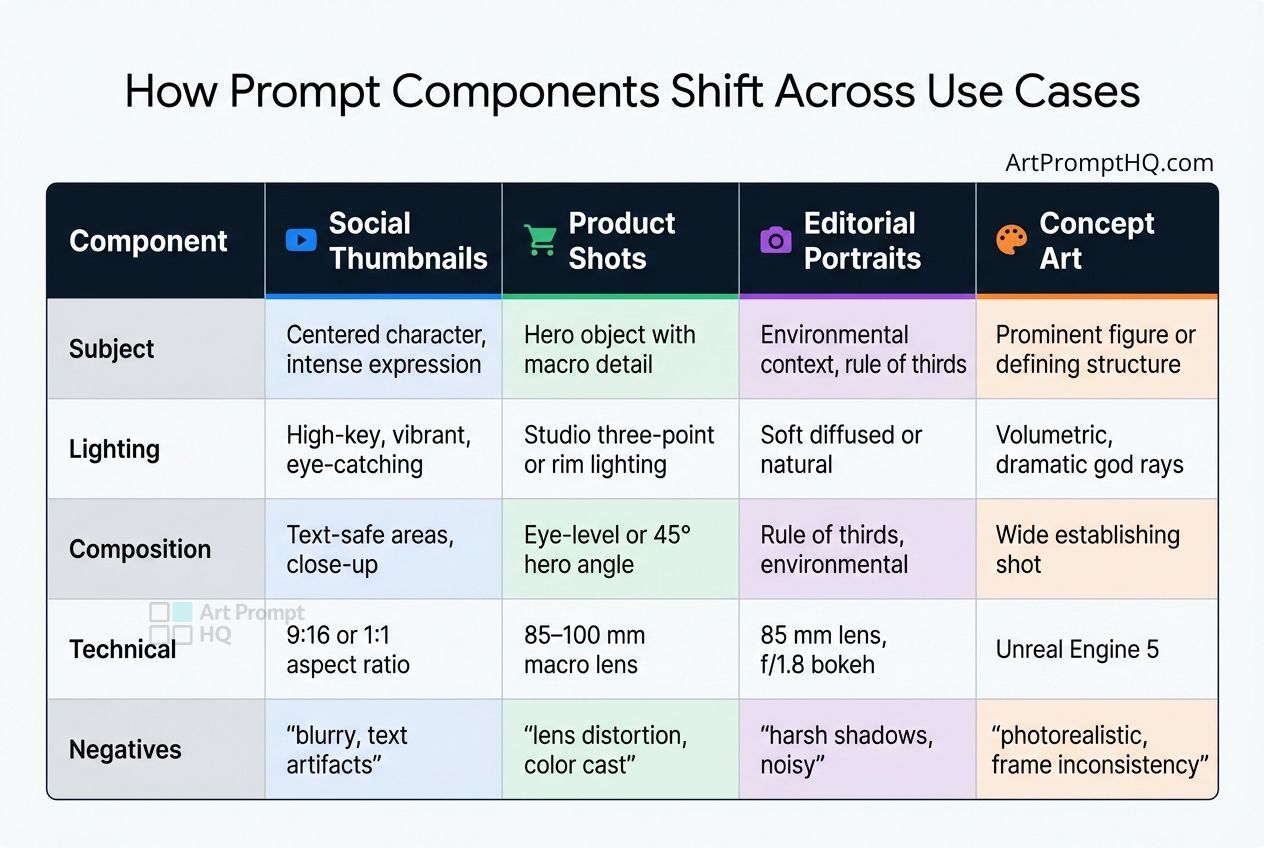
Prompt Component Guide: How to Structure AI Image Prompts by Use Case
Every well-crafted prompt relies on six key components: subject, environment, composition, lighting, style/medium, and technical parameters [3][4]. Think of these as modular pieces - while the elements remain consistent, their arrangement shifts depending on the goal, whether it's a social thumbnail, product image, or concept art. Let’s break down each element and see how they adapt to different creative needs.
Subject acts as the centerpiece of your visual. For a social thumbnail, this might mean "a centered character with intense eye contact and a bold expression" to grab attention. In product photography, the subject becomes "a primary object with detailed close-ups and refined textures." Vague instructions often leave the AI guessing, which can result in less-than-ideal outcomes [3]. Next, lighting plays a pivotal role in shaping the final image.
Lighting can dramatically alter a visual’s impact. Social thumbnails thrive on high-key, vibrant lighting to stand out on a crowded feed. Product shots benefit from precise techniques like studio three-point or rim lighting to highlight texture and form. Concept art often leans on atmospheric effects like "god rays" or fog for added depth. Using specific terms like "golden hour side-lighting" or "Rembrandt lighting" ensures the model interprets light correctly [2].
Composition and technical parameters must align with platform-specific needs. Social thumbnails often require negative space for text and aspect ratios like 9:16 or 1:1. Product photography favors angles like eye-level or a 45° hero shot, paired with macro lens simulations (around 85–100 mm). Editorial portraits, on the other hand, might follow the rule of thirds with an f/1.8 aperture to create a soft, natural bokeh effect.
Negative constraints help refine results by excluding unwanted elements. For photorealistic product shots, you might exclude terms like "3D render, cartoon, blurry background." In artistic concept work, phrases such as "photorealistic, noisy, lens distortion" might be avoided. A focused list of 3–5 negative terms can eliminate common artifacts, but overloading this list can overly restrict the model, leading to less dynamic results [3][4].
How Prompt Components Shift Across Use Cases
| Component | Social Thumbnails | Product Shots | Editorial Portraits | Concept Art |
|---|---|---|---|---|
| Subject | Centered character, intense expression | Hero object with macro detail | Environmental context, rule of thirds | Prominent figure or defining structure |
| Lighting | High-key, vibrant, eye-catching | Studio three-point or rim lighting | Soft diffused or natural | Volumetric, dramatic god rays |
| Composition | Text-safe areas, close-up | Eye-level or 45° hero angle | Rule of thirds, environmental | Wide establishing shot |
| Technical | 9:16 or 1:1 aspect ratio | 85–100 mm macro lens | 85 mm lens, f/1.8 bokeh | Unreal Engine 5 |
| Negatives | "blurry, text artifacts" | "lens distortion, color cast" | "harsh shadows, noisy" | "photorealistic, frame inconsistency" |
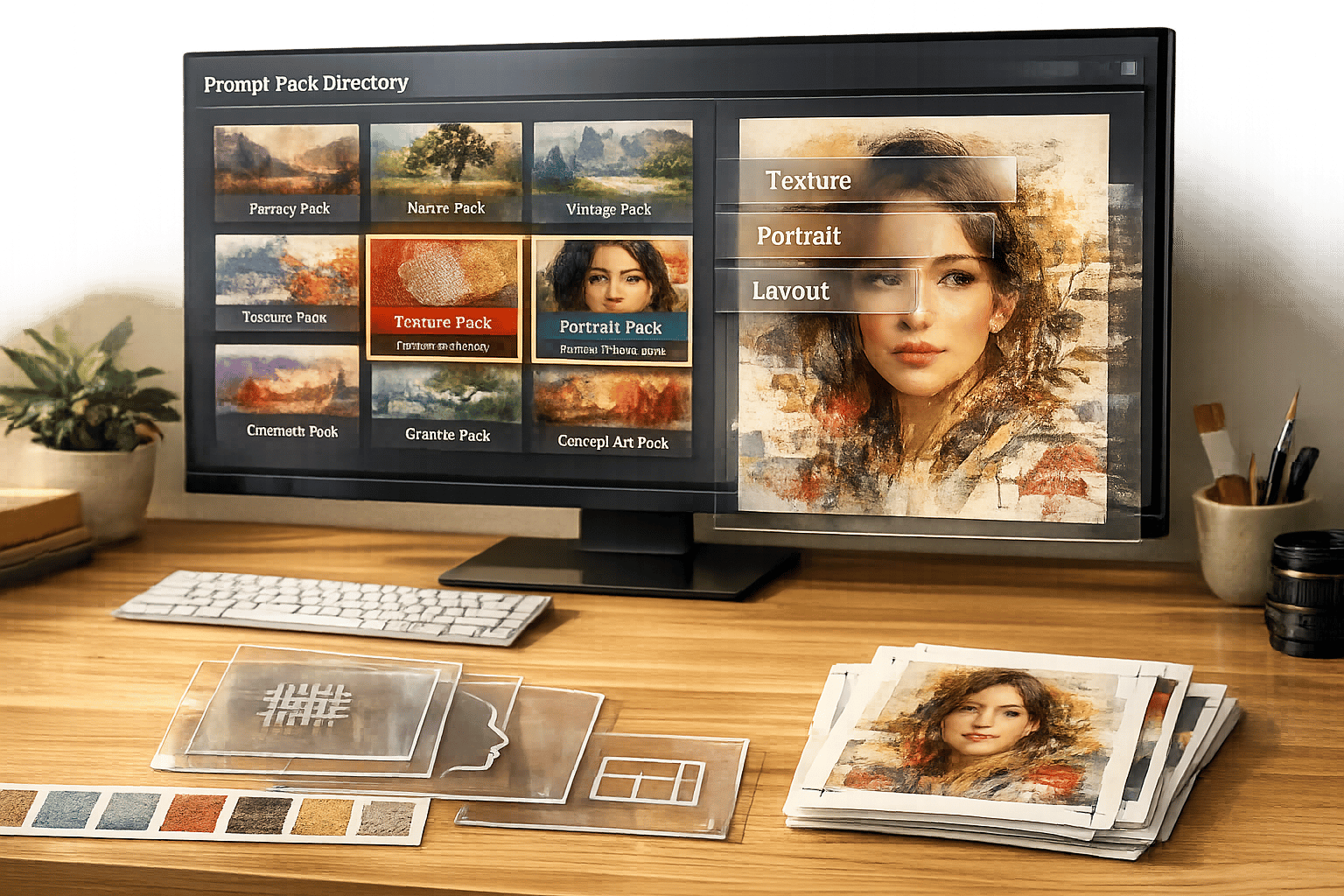
This table highlights how curated prompt packs are tailored to different needs. Each pack featured on Art Prompt HQ serves as a pre-assembled recipe, fine-tuned for specific use cases like viral shorts, commercial projects, or portfolio work. These packs simplify the process by providing prompts already optimized for the task at hand.
Common Visual Use Cases and Their Prompt Patterns
Visual prompts in AI art aren't just about creativity - they're about solving real challenges. By combining modular prompt components with specific goals, creators can tailor their outputs to fit different platforms, audiences, and purposes. Let’s dive into four common use cases and how their unique needs shape the prompts used.
Social Thumbnails
Social thumbnails are all about grabbing attention instantly. To stand out on small screens, these visuals rely on high-contrast imagery and bold, neon-inspired lighting. Centering the subject or leaving clean negative space for text overlays is crucial, as platforms often crop or add graphics. This approach ensures your design remains clear and impactful, even when scaled down.
Close-ups or bird’s-eye views are particularly effective, as they stay recognizable at smaller sizes. Using prompts that include constraints like "blurry, text artifacts" can help refine the output, keeping it clean and ready for platform use. For inspiration, check out the viral shorts category.
Next, let’s consider the structured precision required for advertising and product imagery.
Ads and Product Shots
Product photography prompts transform technical details into creative directions. Ilia Ilinskii, founder of Rephrase-it, explains:
The fix isn't a magic keyword. It's turning your prompt into a spec. [7]
Instead of vague terms like "good lighting", prompts should explicitly describe setups: "large softbox key light from above-left, gentle fill from the right." This level of detail ensures clarity and consistency. Macro lens simulations (70–120mm) help maintain accurate proportions, while specifying surfaces like "polished black marble" or "matte stone background" enhances the commercial appeal.
For example, fashion retailer Zalando reported a 90% reduction in costs and a drastic cut in content creation time - from weeks to days - by integrating AI-driven tools into their workflow [1]. More examples of effective commercial prompts can be found in the commercial AI art prompts collection.
Now, let’s shift focus to storytelling through editorial images.
Editorial Images and Keyframes
Editorial visuals prioritize mood and narrative over immediate impact. To achieve this, prompts should reflect specific publication styles, such as "Vogue editorial style" or "National Geographic environmental portrait." Lighting techniques like Rembrandt lighting, volumetric god rays, or golden hour side-lighting add depth, enhancing the story being told. For those focusing on outdoor scenes, using landscape AI art prompts can help master these environmental details.
Composition plays a key role here, with techniques like the rule of thirds or wide establishing shots providing context for the subject. Klarna, a fintech company, leveraged AI tools like DALL‑E and Midjourney to create over 1,000 campaign images in just three months, cutting production timelines from six weeks to one week [1]. They achieved this by using detailed, narrative-driven prompts that specified mood, lighting, and composition. To see examples of this approach, explore the portfolio AI art prompts and fantasy & sci‑fi categories.
Finally, let’s look at designs meant for physical products.
Etsy and Print-on-Demand Designs
Print-on-demand designs need to be adaptable and market-ready, whether for mugs, T-shirts, or posters. Prompts should clearly define the artistic medium, such as "clean vector style", "hand-drawn watercolor", or "8-bit pixel art" from a multi-category prompt pack. This ensures the design scales well and maintains quality across various products.
Styles like pastel palettes, minimalist layouts, and intricate line work tend to perform well, as they appeal to broad audiences and translate cleanly onto different materials. Negative prompts like "no photorealistic textures, no noisy gradients, no lens distortion" help ensure the output is optimized for vector conversion or high-resolution printing.
IBM demonstrated how text-to-image tools could speed up marketing design workflows, reducing a two-week task to just two days [1]. This efficiency shows how well-structured prompts can streamline production, creating designs that are both eye-catching and practical for physical reproduction.
These examples highlight how tailoring prompts to specific use cases can transform them into flexible templates, designed to meet precise needs while still leaving room for creativity.
Worked Examples: One Subject, Multiple Use Case Prompts
Using the prompt components discussed earlier, these examples highlight how to adapt a single subject to meet various visual needs. While the core subject stays consistent, elements like style, lighting, and composition shift to align with specific goals. This approach ensures you're crafting the image intentionally by using an AI prompting master system rather than relying on guesswork.
Below, you'll see how a single subject can be reimagined across different visual contexts by tweaking modular prompt components.
Example: Fantasy Warrior Across 4 Use Cases
Imagine a single subject - a female warrior from a desert civilization. Her identity is fixed: bronze armor with geometric engravings, long braided hair, fierce expression. However, the prompts evolve depending on the use case.
Use Case 1: Concept Art for Portfolio
"Character concept art: female warrior from a desert civilization, bronze armor with intricate geometric engravings, long braided hair, fierce expression, dynamic mid-action pose, sand storm in background, warm golden and copper tones, ArtStation quality, digital painting." [2]
This prompt emphasizes world-building and artistic depth. Details like "sand storm in background" and "warm golden and copper tones" set the scene, while terms like "ArtStation quality" and "digital painting" specify the medium. For more prompts like this, explore the portfolio AI art prompts and fantasy & sci-fi sections.
Use Case 2: Product Visual (Collectible Figure)
"Premium collectible figure photography, female warrior in bronze armor, macro detail shot showing intricate geometric engravings, shot with 100mm f/2.8 Macro lens, three-point studio lighting, polished black marble base, commercial catalog style." [6][7]
Here, the focus is on highlighting craftsmanship and detail. The macro lens and three-point lighting create a polished, professional feel, while "polished black marble base" adds a sense of luxury. This prompt makes the character appear as a high-end product. For similar ideas, check out the commercial AI art prompts collection.
Use Case 3: Social Media Thumbnail
"Low angle heroic shot of a female warrior in bronze armor, fierce expression, high contrast cinematic lighting, vibrant orange and teal color palette, blurred desert battlefield background, clean negative space on right for text, 16:9 ratio." [3]
Thumbnails require bold visuals and text-friendly layouts. The "low angle heroic shot" adds drama, while "clean negative space on right for text" ensures room for overlays. The vibrant color palette and high contrast make the image stand out in crowded feeds. Explore the viral shorts category for more thumbnail-ready prompts.
Use Case 4: Etsy/Print-on-Demand Design
"Vector illustration of a female warrior head, bronze armor, braided hair, clean bold lines, flat colors, white background, minimalist sticker aesthetic, high resolution, symmetrical." [2][3]
This approach focuses on simplicity and versatility for physical products. "Vector illustration" ensures scalability, while "flat colors" and a "white background" make the design easy to reproduce on various items like mugs or stickers. The "minimalist sticker aesthetic" appeals to a wide audience and works across multiple formats.
Across all four examples, the subject’s identity remains constant. Only the technical details, lighting, and composition shift to suit the intended use. This modular approach to prompting showcases how to adapt effectively for different goals, reducing guesswork and improving results.
Studying Prompt Packs as Use Case Templates
Learning to master prompt shifts starts with studying curated prompt packs as technical guides. These packs act as structured templates, offering insight into how professionals organize prompts to achieve specific outcomes.
As Ilia Ilinskii explains:
The best AI product photography prompts read like boring studio notes. That's the point.
- Ilia Ilinskii, Founder of Rephrase-it [7]
Instead of simply copying prompts, focus on analyzing their layered structure. Professional prompt packs often break down into modular layers - Subject, Environment, Composition, Lighting, Style, Technical, and Negatives. By understanding these components, you can modify individual layers while preserving the overall framework. For instance, you might keep the "Style", "Lighting", and "Technical" layers from a commercial AI art prompt pack but swap out the "Subject" and "Action" layers to fit your specific needs.
Prompt packs also standardize these components to ensure consistent results. Pay close attention to the negative constraints section included in most packs. These constraints are critical for suppressing common issues like extra fingers, watermarks, or blurred backgrounds. To be effective, negative prompts should typically stick to 3–5 terms, avoiding excessive restrictions that could limit creativity [3].
When exploring curated AI prompt packs, look for those that use bracketed frameworks like [Subject] + [Setting] + [Lighting] + [Style] + [Technical]. These frameworks help address all essential visual elements, reducing the AI's reliance on guesswork and minimizing random or undesired outputs.
The goal isn’t to memorize individual prompts but to absorb the professional vocabulary and structural patterns that lead to high-quality results. For example, portfolio-focused packs often highlight intricate world-building details, while viral shorts templates emphasize strong contrast and layouts optimized for text overlays. By comparing different types of packs, you can build a mental library of patterns and approaches, making it easier to create your own prompt systems tailored to specific use cases. This deeper understanding of how prompt packs are structured will equip you to design systems that align with your creative goals.
Next Steps: Designing Your Own Use Case-Based Prompt Systems
Creating a tailored prompt system begins with clearly defining success for your specific project. Start by outlining 2–4 key criteria that describe what success looks like for your use case [5][8]. For example, a product photo might require "clean white background, hero angle at 45 degrees, visible surface texture", while a social media thumbnail might call for "high contrast, bold subject placement, text-safe negative space in the top third." This clarity sets a clear target for both you and the AI.
Using the modular approach mentioned earlier, structure your system in layers. Professional systems often include six essential components: Role/Tone, Task Definition, Rules/Guardrails, Data/Context, Output Structure, and a "North Star" Key Reminder [8]. For visual projects, this translates into Subject, Environment, Composition, Lighting, Style, and key technical details [4]. Lock in the elements that define your brand, such as lighting styles or technical specifications, while allowing flexibility in layers like subject or environment for variations.
Adopt a 4-Pass Workflow to refine your prompts step by step: start with the core idea (subject and environment), refine the pose and composition, add lighting and physics details, and finish with technical parameters and negative prompts [4]. Once you find a composition that works, lock its seed value. This allows you to tweak the wording without altering the overall image [3]. This method minimizes inconsistencies, keeping your subject steady and helping you pinpoint improvements.
To avoid overloading the system, keep prompts concise, ideally under 80–100 words [3][7]. Replace vague terms like "beautiful" with precise descriptors such as "golden hour side-lighting" or "85mm lens at f/1.4" to achieve more consistent results [3]. Limit negative prompts to 3–5 specific terms, as going beyond this can over-restrict the model, leading to less dynamic outputs [3].
Once you've developed a functional system for one use case, document it as a reusable template. Organize your successful prompts by use case in a Notion prompts database, or test variations with free tools to refine your approach. This documentation serves as a foundation for building a remixable library of proven prompts, similar to the structured recipes in curated prompt packs. Explore how editable AI prompt packs organize their frameworks and adapt those strategies to your own needs. The focus isn’t on achieving perfection right away but on creating a flexible system you can refine over time. For more advanced techniques, check out additional prompt engineering guides that provide step-by-step workflows.
FAQs
How do I choose the right prompt structure for my use case?
To select the best prompt structure, begin by identifying your project’s purpose and any constraints you’re working with, such as the platform, aspect ratio, target audience, desired mood, and the need for clarity. Adjust elements like subject, style, medium, and lighting to fit your objectives. For instance, prompts for social media often emphasize bold, eye-catching visuals, whereas product photography leans toward achieving a realistic look. Exploring prompt packs tailored to specific applications can provide a solid starting point, allowing you to adapt tried-and-tested structures to suit your project.
What prompt parts should I lock for consistent results?
To achieve consistent results in AI image generation, it's important to focus on the core aspects that shape the image's visual and stylistic identity. These include the subject, style or medium (such as photorealistic or painterly), lighting, and essential technical details like the color palette or background. By keeping these elements steady, you can ensure a cohesive look across your images while still introducing controlled changes in areas like pose, composition, or color tweaks.
How many negative prompt terms should I use?
The quantity of negative prompt terms you use should align with your specific goals and the degree of precision you’re aiming for. Generally, selecting 1-3 carefully chosen terms is sufficient to refine outputs while avoiding overly restricting the AI. Overloading with too many terms can hinder quality or stifle creativity, so it’s important to strike a balance between clarity and adaptability. Begin with a minimal approach, experiment through testing, and fine-tune as necessary to efficiently filter out undesired elements.