When choosing between Stable Diffusion and DALL·E for AI art, the decision comes down to control versus simplicity. Stable Diffusion offers advanced tools for precise customization, while DALL·E focuses on ease of use and natural language prompts. Both platforms benefit from prompt packs, which provide structured, pre-tested formulas to improve your workflow and results. This guide breaks down which platform and prompt packs suit different goals, from photorealistic visuals to quick mockups. Let’s explore how these tools perform and which is the right fit for your projects.
Stable Diffusion Prompt Packs: Features and Best Uses
Stable Diffusion's flexible design lets users combine specialized tools to achieve precise image control. Prompt packs tailored for this platform take full advantage of these capabilities, saving time that might otherwise be spent on trial and error.
Main Features of Stable Diffusion with Prompt Packs
LoRAs (Low-Rank Adaptation) are compact plugins (ranging from 10MB to 200MB) that enable your base model to adopt specific art styles, characters, or aesthetics without downloading massive model files. For example, a single trigger word with an optimal weight (usually starting at 0.8 and often between 0.6–1.2) can apply intricate styles like Studio Ghibli or cyberpunk seamlessly [4].
ControlNet ensures the AI adheres to a defined visual structure rather than interpreting text alone. Tools like OpenPose help maintain consistent character poses, Canny preserves edges from sketches, and Depth maintains 3D spatial relationships for architectural designs [9, 13]. Together with LoRAs, these tools shift Stable Diffusion from guesswork to precise visual control.
Inpainting allows for targeted corrections without regenerating the entire image, while tools like ADetailer or Segment Anything (SAM) automate detailed masking. Batch processing with Wildcards or X/Y/Z plot scripts simplifies testing hundreds of variations efficiently [10, 13].
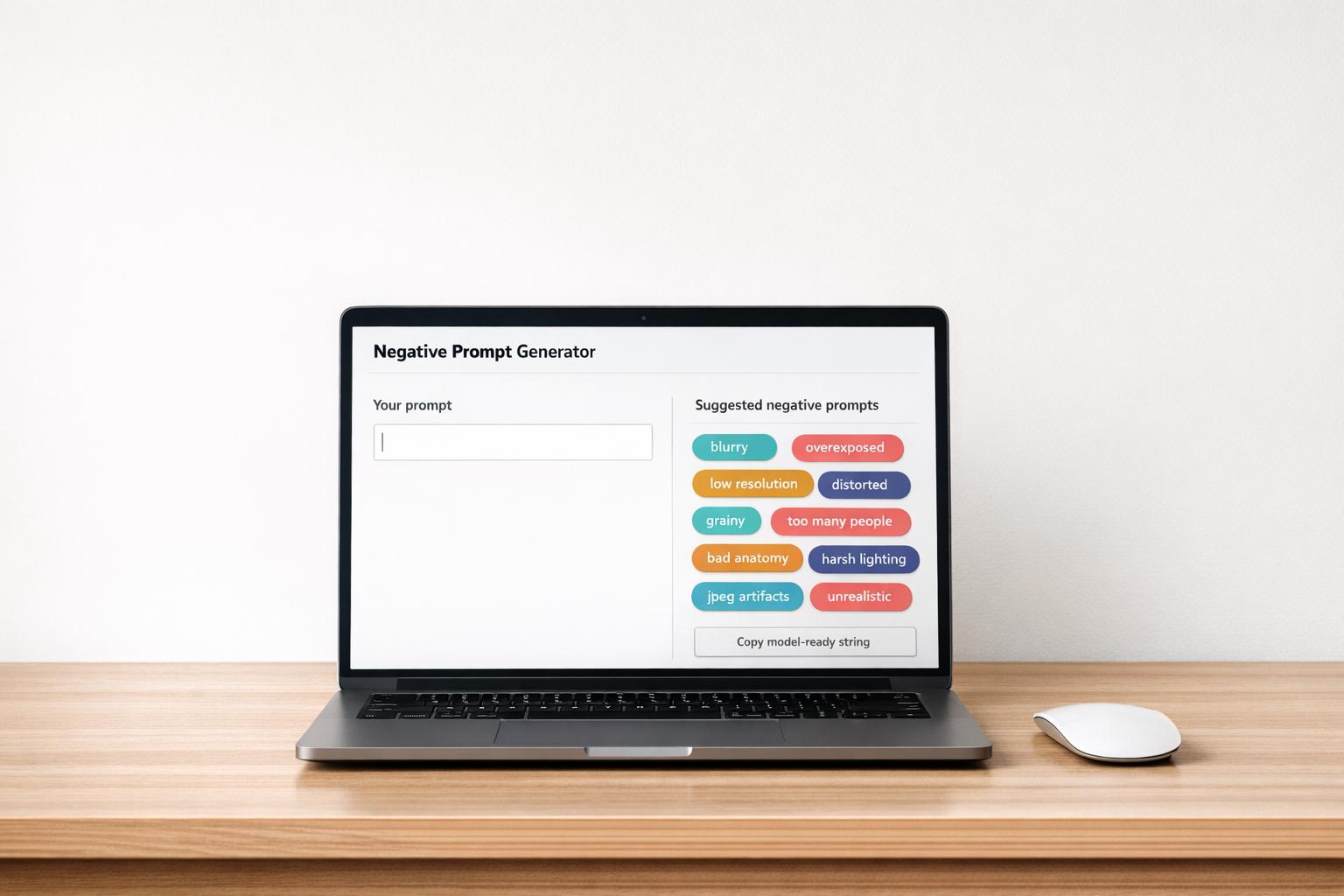
Prompt weighting lets users emphasize specific keywords for greater control. For instance, (golden hour:1.5) highlights lighting effects (common weights range between 0.5 and 1.5; values above 2.0 can cause artifacts) [6]. Including negative prompts like "blurry, low quality, bad anatomy, extra limbs, watermark" ensures cleaner outputs [11, 13].
These features form the backbone of high-performing prompt packs, which are tailored for various creative needs.
The best Stable Diffusion prompt packs bundle these tools—LoRAs, ControlNet setups, negative prompts—into ready‑to‑use recipes you can plug into your UI instead of configuring everything from scratch.
Best Prompt Packs for Stable Diffusion
Prompt packs optimized for Stable Diffusion's capabilities deliver outstanding results across different artistic and professional applications.
-
Photorealism packs excel with checkpoints like SDXL 1.0, Realistic Vision, or Juggernaut XL [10]. They incorporate technical camera settings (e.g.,
85mm f/1.8for portraits or14mmfor landscapes) and lighting effects (likevolumetric fogorrim lighting) to create lifelike images. For professional portraits, prompts such as(RAW photo:1.2),8k uhd,dslr,Fujifilm XT4, andf/1.8are highly effective [11]. - Style-specific LoRA packs simplify niche aesthetics. Instead of crafting a detailed description for a "Studio Ghibli style", a single LoRA file can instantly apply it. These small, stackable files also allow creative combinations, such as blending Ghibli with cyberpunk [4].
- Structural and compositional packs are perfect for projects requiring precise layouts, like architectural renders, product mockups, or consistent character designs. ControlNet ensures accurate positioning, while character-trained LoRAs maintain consistency across multiple generations [4].
Stable Diffusion Prompt Packs: Pros and Cons
Prompt packs enhance Stable Diffusion's customization potential, offering unparalleled control for diverse creative projects.
One major advantage is the platform's adaptability. You can install new styles with LoRAs, train models on specific products or faces, and use ControlNet for precise poses or layouts [9, 21]. Local installations also guarantee privacy, with no tracking - an essential feature for sensitive fields like medicine, law, or proprietary corporate work [13]. Plus, the platform is free for local use, provided you have a GPU with at least 6GB of VRAM (8GB to 12GB is recommended) [4].
However, the learning curve can be steep. High-quality results require familiarity with parameters like the CFG scale, samplers, and steps [20, 4]. Unlike DALL·E's user-friendly interface, Stable Diffusion relies on token-based processing, where word order and emphasis are critical [5]. Overly long prompts with dozens of clauses can introduce visual noise; shorter, focused prompts usually work better [7].
Performance depends heavily on hardware. For example, an NVIDIA RTX 3060 can generate a 512×512 image in 2 to 5 seconds, while a 1024×1024 SDXL image might take 15 to 30 seconds [13]. For faster processing without local hardware, cloud-based options are available for around $10 per month, covering 2,000 fast generations [13]. Advanced users are also turning to node-based workflows like ComfyUI for creating repeatable pipelines, while next-gen LoRA architectures such as LyCORIS, LoHa, and LoKr promise better detail retention [8].
sbb-itb-997826f
DALL·E Prompt Packs: Features and Best Uses
DALL·E stands out for its simplicity and natural language interaction. Instead of managing complex settings or plugins, you just describe what you want in plain English, and the platform takes care of the rest.
Main Features of DALL·E with Prompt Packs
DALL·E's use of full sentences instead of comma-separated keywords makes it especially approachable for beginners. For instance, you might say, "a portrait of a woman during golden hour, shot with an 85mm lens and soft bokeh," rather than stringing together keywords.
When it comes to generating text within images, independent tests suggest DALL·E achieves a success rate of around 70%, compared to about 45% for Midjourney v7 [1]. It also boasts a prompt adherence score of 81%, meaning it reliably follows detailed instructions. For example, if you specify "three red apples on a wooden table next to a blue vase," it delivers with accuracy [1].
The platform's integrated editing tools make refining images straightforward. Instead of regenerating an entire image, you can highlight specific areas and request changes like "change the background to a beach sunset" or "make the lighting warmer." This feature simplifies the iterative design process.
With the release of DALL·E 4 in early 2025, the platform has made significant strides in realism, particularly in anatomical details and spatial relationships like reflections and shadows. It now offers preset resolutions of 1024×1024, 1024×1792, or 1792×1024 pixels [15][16]. Human faces and hands appear more natural, making it a strong choice for projects requiring high visual fidelity.
These advancements set the stage for a range of prompt packs tailored to DALL·E's strengths.
Best Prompt Packs for DALL·E
Prompt packs designed for DALL·E maximize its strengths and deliver polished results across various creative needs. These are prompt packs you can find from many independent creators, and a growing number are listed and organized on Art Prompt HQ so they’re easier to discover and compare.
- Product Photography and Mockup Packs: These packs shine in rendering realistic textures and clean lighting, making them ideal for e-commerce assets, packaging designs, or minimalist product visuals with clear labels.
- Branding and Typography Packs: DALL·E's ability to incorporate text accurately makes it a go-to for logos, social media graphics, and marketing materials, ensuring legible and well-placed captions or headlines.
- Instructional and Educational Content Packs: Thanks to its precise interpretation of prompts, DALL·E excels at creating detailed diagrams, infographics, and technical illustrations, which are valuable for educators and content creators.
- Quick Prototyping Packs: Whether you're working on book covers, blog thumbnails, or marketing concepts, DALL·E's conversational interface allows for quick iterations without needing to rewrite prompts.
While these packs highlight DALL·E's capabilities, it's also important to consider its limitations.
DALL·E Prompt Packs: Pros and Cons
DALL·E's prompt packs are tailored to specific creative applications, offering ease of use and reliable performance. This makes it a strong choice for projects where speed and clarity matter most, although it lacks some of the flexibility found in platforms like Stable Diffusion.
The platform's user-friendly design is further enhanced by its ChatGPT integration [1]. As App Review Lab notes:
DALL-E 3's prompt adherence is exceptional. Describe exactly what you want - specific text placement, precise compositions, exact color palettes - and it delivers with surprising accuracy.
DALL·E 3 also scores 8.5/10 for consistency, ensuring a uniform look across multiple image generations [1].
However, it does have limitations. The platform operates as a closed system, meaning you can't install custom models, fine-tune specific elements, or use advanced tools like ControlNet for detailed pose control. Additionally, some users have noted a "soft" or "wax-like" effect in realistic images, which can make outputs appear less natural compared to other models.
For commercial workflows, API access costs between $0.04 and $0.12 per image, depending on quality and resolution. Microsoft Copilot Pro also offers DALL·E access at $20 per month.
Stable Diffusion vs DALL·E: Direct Comparison
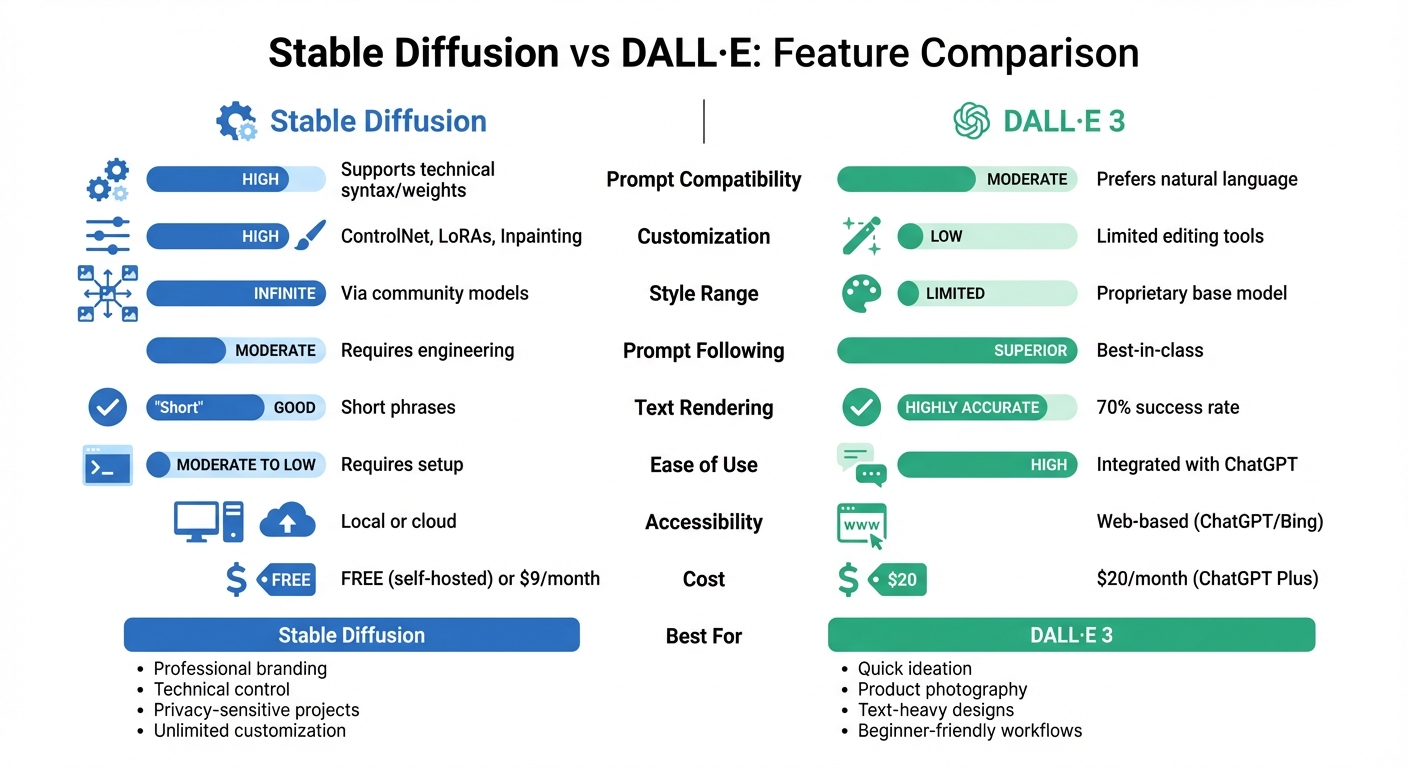
Stable Diffusion vs DALL-E: Feature Comparison for AI Art Generation
Key Metrics for Comparing Prompt Packs
When comparing multi-platform prompt packs for these two platforms, several factors stand out:
- Prompt Compatibility: Stable Diffusion handles advanced technical syntax and weights, while DALL·E focuses more on natural language descriptions.
- Customization Tools: Stable Diffusion offers features like ControlNet, LoRAs, and inpainting for precise adjustments, whereas DALL·E has fewer editing capabilities.
- Style Range: Stable Diffusion boasts an extensive selection of artistic styles, driven by community models, while DALL·E operates within a more restricted, proprietary range.
- Ease of Use: DALL·E provides a smoother, beginner-friendly experience, while Stable Diffusion may require a more technical setup.
- Accessibility: Stable Diffusion can run locally or via the cloud, but DALL·E is fully web-based, integrated into platforms like ChatGPT and Bing.
Performance Table: Stable Diffusion vs DALL·E
| Metric | Stable Diffusion | DALL·E 3 |
|---|---|---|
| Prompt Compatibility | High (supports technical syntax/weights) | Moderate (prefers natural language) |
| Customization | High (ControlNet, LoRAs, Inpainting) | Low (limited editing tools) |
| Style Range | Infinite (via community models) | Limited (proprietary base model) |
| Prompt Following | Moderate (requires engineering) | Superior (best-in-class) [17] |
| Text Rendering | Good for short phrases | Highly accurate and legible [17] |
| Ease of Use | Moderate to low (requires setup) | High (integrated with ChatGPT) |
| Accessibility | Local or cloud | Web-based (ChatGPT/Bing) |
| Cost | Free (self-hosted) or $9/month [19] | $20/month (ChatGPT Plus) [19] |
This table highlights the strengths and trade-offs of each platform, helping you decide which one fits your creative approach.
Which Platform Aligns with Your Project Needs
Stable Diffusion shines in projects requiring detailed technical inputs, such as modifiers or negative prompts. It’s especially effective for professional branding tasks where maintaining consistency across multiple images is crucial.
"Stable Diffusion is for artistic creation and fun, with the ability to refine every aspect of the image until it is perfect."
On the other hand, DALL·E prioritizes speed and simplicity, making it ideal for quick ideation. It’s particularly effective for turning imaginative concepts into visuals without the need for extensive prompt engineering.
"DALL·E excels in transforming whimsical and imaginative concepts into visual realities, making it a favorite for artists and creatives seeking to bring their most outlandish ideas to life."
Its precise text rendering and adherence to prompts make it a strong choice for tasks requiring high accuracy, such as product photography, branding, and educational content [18]. Both platforms cater to different needs, so your choice depends on the demands of your project.
How to Pick the Right Prompt Packs for Your Goals
Building on the earlier comparison, here’s a guide to help you select prompt packs that fit your skill level and creative needs.
Prompt Packs for Beginners vs. Experienced Users
If you’re just starting out, DALL·E packs are a great choice. Their natural language prompts are perfect for tasks like product mockups, logo designs, and quick iterations without much setup [3][2]. Look for packs on Art Prompt HQ tagged with categories like "social content", "branding", or "product photography" to get started.
On the other hand, Stable Diffusion packs cater to more advanced users. These packs often include features like negative prompts, token weights, and compatibility with tools like LoRAs or ControlNet, making them ideal for creators who need precise control over their outputs [1][12]. If you’re working on complex projects or need highly customized artistic styles, Stable Diffusion offers flexibility that DALL·E cannot match.
Once you’ve chosen your platform, focus on finding packs that align with your creative style and workflow.
Matching Prompt Packs to Your Style and Workflow
Art Prompt HQ simplifies the search process by organizing packs by model, style, and purpose. Start by selecting your platform - Stable Diffusion or DALL·E - and then filter by category. For example, if you’re working on a sci-fi concept art project, look for "Fantasy & Sci-Fi" packs compatible with your model. For marketing teams aiming for consistent brand visuals, packs tagged "Product Photography" or "Branding" are ideal.
When evaluating packs, pay close attention to their prompt structure. Effective prompts typically include five key elements: subject, style, lighting, camera perspective, and mood or atmosphere [12][2]. DALL·E prompts often use full descriptive sentences, while Stable Diffusion prompts favor comma-separated descriptors, along with positive and negative prompts [12][14]. Ensuring the right structure will make it easier to integrate the pack into your workflow.
Tips for Testing and Improving Prompt Packs
After selecting a pack, test its performance using these strategies to refine your results.
Run each prompt at least 10 times to evaluate consistency [1]. This process helps identify patterns and uncover any weaknesses in the pack. For Stable Diffusion users, keep the seed number constant while experimenting with different keywords. This maintains the same underlying noise pattern, allowing you to pinpoint which changes improve the output [9].
Start with a simple prompt - focusing on the subject and setting - and then layer in details like lighting or artistic references [9]. For DALL·E, take advantage of iterative edits. Instead of rewriting the entire prompt, try simple adjustments like “make it bluer” or “add a cat” [3]. This method saves time and helps you understand which elements are driving the visual changes you want to achieve.
Conclusion: Finding the Right Prompt Packs for Your AI Art
Main Differences Between Stable Diffusion and DALL·E
When deciding between Stable Diffusion and DALL·E, the choice often boils down to control versus ease of use. DALL·E 4 is ideal for those who need quick results and accurate text rendering in images - achieving success with text about 70% of the time [1]. Its subscription-based model is straightforward and requires no technical setup [2]. On the other hand, Stable Diffusion offers unparalleled flexibility with features like negative prompts, weighted keywords, and custom models. However, it demands a higher level of expertise. Users can run it locally for free (with a compatible GPU) or opt for cloud services at an average cost of $0.01 per image [2].
As Sarah Chen, Senior AI Engineer, puts it:
Stable Diffusion is for power users who want total control. The learning curve is steep, but the possibilities are unlimited [2].
DALL·E shines in its intuitive workflow and ability to closely follow natural language prompts. Meanwhile, Stable Diffusion is the go-to for creators prioritizing privacy, advanced customization, or technical precision with tools like ControlNet for pose guidance [2]. Understanding these distinctions is key to selecting the platform that aligns with your creative vision and technical requirements.
Explore Prompt Packs on Art Prompt HQ
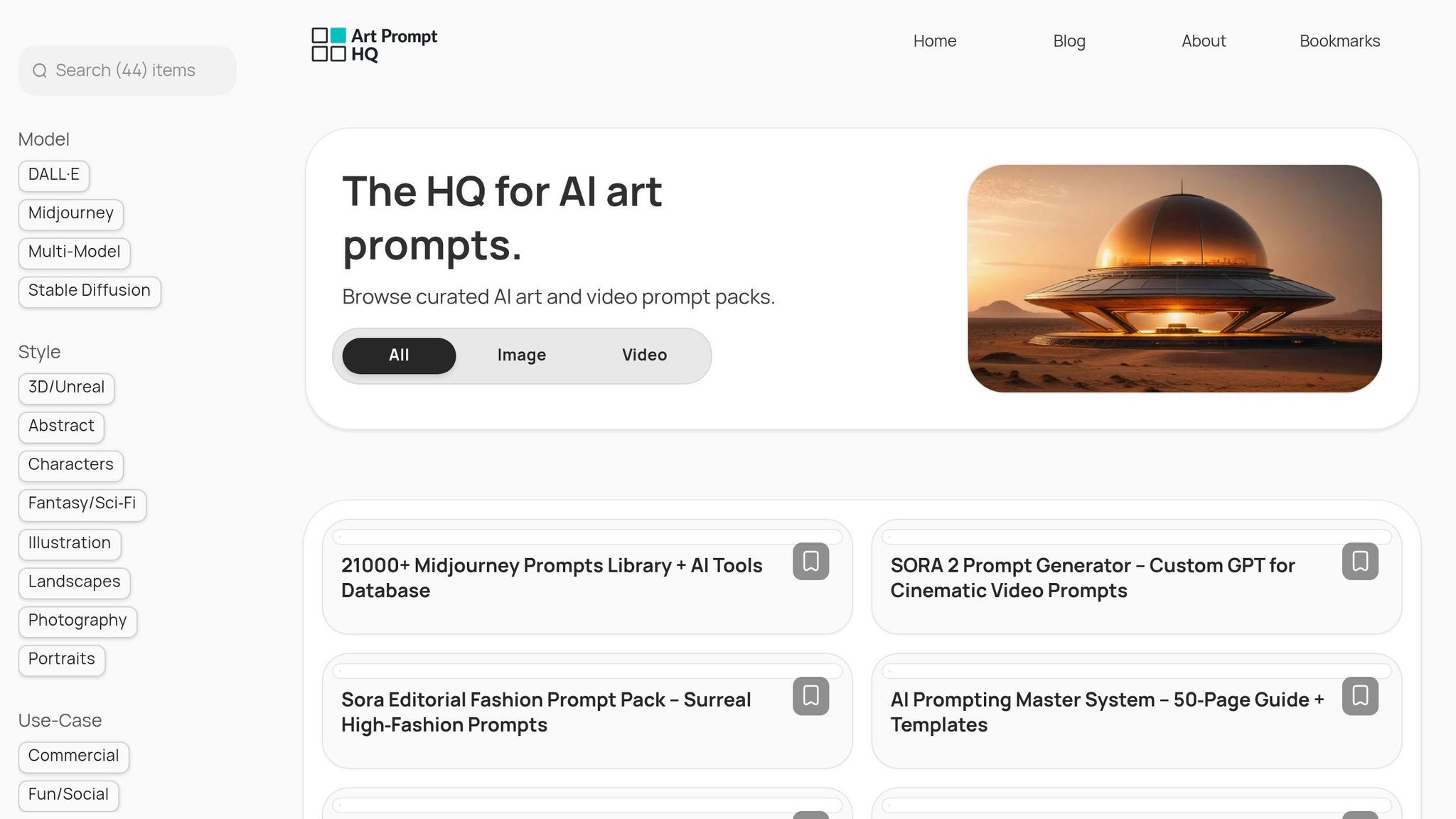
Finding the right prompt pack starts with understanding these platform differences. Art Prompt HQ simplifies the search by categorizing prompt packs based on platform, style, and purpose. Whether you’re looking for "Fantasy & Sci-Fi", "Product Photography", or "Branding" prompts, you can easily filter options for Stable Diffusion or DALL·E to suit your needs. Beginners can explore user-friendly DALL·E templates, while advanced creators might prefer ControlNet presets tailored for Stable Diffusion. This organized approach helps you skip trial and error, allowing you to create polished, consistent visuals more efficiently.
FAQs
Which tool is better for consistent characters?
Stable Diffusion tends to outperform when it comes to creating consistent characters, especially when paired with prompt packs tailored for this purpose. It’s particularly strong at producing detailed, smooth images, which simplifies the process of maintaining consistency across multiple renders. While DALL·E 3 can deliver comparable results, it typically demands more effort and adjustments to achieve the same level of precision. Leveraging well-structured workflows and prompt packs can further boost Stable Diffusion’s ability to maintain character consistency.
Do I need a GPU to use Stable Diffusion prompt packs?
You don't absolutely need a GPU to work with Stable Diffusion prompt packs, but having one with at least 8GB of VRAM is recommended, and 6GB is a workable minimum for many use cases. A GPU significantly improves performance, making complex or high-resolution projects run more smoothly and efficiently. If you don’t have a capable GPU, you can still use Stable Diffusion prompt packs through cloud hosts; expect to pay roughly low cents per image depending on resolution and speed.
How can I get sharper, more realistic results?
To create sharper and more realistic AI-generated images, focus on crafting detailed and precise prompts while using models designed for clarity, such as SDXL or DALL·E 3. Fine-tune settings like resolution, incorporate high-quality prompt packs, and apply advanced prompting methods. These combined strategies can significantly improve sharpness and realism, particularly when working with complex prompts. For example, photorealism-focused prompt packs for SDXL or DALL·E 3 often specify camera, lens, and lighting details that produce sharper results than generic prompts.