Struggling to get consistent results from AI art tools like Midjourney, Stable Diffusion, or DALL·E? The key is understanding how to write effective prompts and tailor them to each model's strengths. This guide answers 50 common questions about AI art prompts, covering everything from model-specific tips to styles, workflows, and curated prompt packs.
Whether you're creating realistic portraits, fantasy landscapes, or cinematic videos, you'll learn how to craft prompts that save time and deliver polished results. Let’s dive into the essentials and explore how to make the most of these tools and resources.
Questions About AI Art Models (Midjourney, Stable Diffusion, DALL·E, and Video Tools)
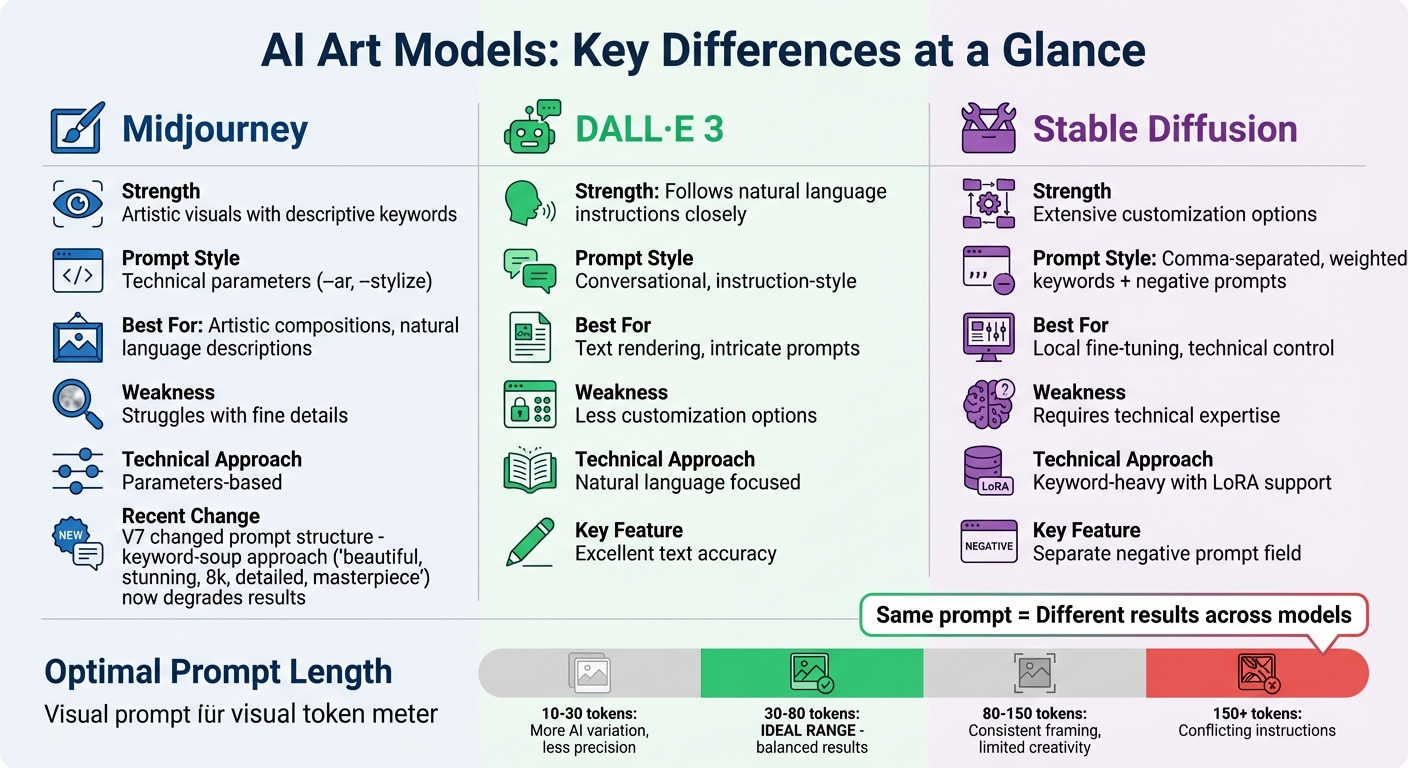
Midjourney vs DALL·E vs Stable Diffusion: AI Art Model Comparison
What are the main differences between Midjourney, Stable Diffusion, and DALL·E?
Midjourney is known for creating artistic visuals based on descriptive keywords combined with technical parameters like --ar and --stylize. However, it sometimes struggles with fine details. On the other hand, DALL·E 3 follows natural language instructions more closely, making it particularly effective for rendering text and intricate prompts. Stable Diffusion stands out for its extensive customization options, using comma-separated, weighted keywords and supporting local fine-tuning through LoRAs. That said, it demands a more technical approach. These differences highlight the importance of tailoring your prompts to the specific model, which can be especially helpful when working with multi‑model prompt packs.
How do AI video tools like Sora, Veo, and Runway work with prompts?
Creating video prompts is more intricate than crafting image prompts because they must account for temporal elements such as camera movement, timing, and pacing. While an image prompt captures a static scene, video prompts need to describe how subjects and settings evolve over time. Tools like Sora 2, Veo 3, and Runway are designed to maintain a consistent visual style across frames. To generate dynamic results, start with a clear description of the subject and setting, then add specific instructions for motion (e.g., "panning", "zooming", or "tracking shot") and scene pacing.
Can I use the same prompt across multiple models?
While it’s possible to use the same prompt across different models, the results will rarely match because each system interprets language differently. Blake Crosley, a specialist in Midjourney, explains:
"V7 fundamentally changed how prompts work. The old keyword-soup approach ('beautiful, stunning, 8k, detailed, masterpiece') actively degrades your results" [4].
For example, Midjourney now favors natural language descriptions with parameters like --ar and --stylize. DALL·E 3 works best with conversational, instruction-style prompts, while Stable Diffusion typically responds well to more technical, keyword-heavy inputs along with a separate negative prompt field. To make your prompts more compatible across models, consider using an AI Image Prompt Optimizer to adjust your input to fit each platform’s unique syntax.
sbb-itb-997826f
Questions About Writing Better AI Art Prompts
Building on model-specific insights, these tips focus on crafting prompts that yield better results.
What makes a good AI art prompt?
An effective prompt typically includes six key elements: Subject, Environment, Lighting, Style/Medium, Mood, and Technical Parameters [1][2]. Start with your subject and save technical details like --ar or --stylize for the end [4]. Modern AI models respond better to natural language rather than overloading prompts with keywords like "8k, masterpiece, stunning", which might harm the output [4]. Lighting, often overlooked, can dramatically enhance your results. Phrases like "golden hour", "Rembrandt lighting", or "soft box" can make a huge difference [1].
How do I improve a prompt that isn't working?
If your prompt isn’t delivering the results you want, tweak one element at a time - such as lighting, medium, or composition - to identify what improves the image [3]. For flat or lifeless visuals, try adding precise lighting descriptors. If the framing feels off, experiment with camera angles like "low-angle shot" or "bird's-eye view" [1]. To exclude unwanted elements, use the --no parameter at the end of your prompt instead of phrasing it as "no trees", which might confuse the AI into adding them [3][2]. Tools like the AI Image Prompt Optimizer can also help refine prompts to align with the specific syntax of different platforms. Striking the right balance in detail is critical - too little or too much can lead to inconsistent results using a Midjourney prompts pack.
How much detail should I include in a prompt?
The ideal prompt length falls between 30 and 80 tokens for balanced results. Using more than 150 tokens can create conflicting instructions [4]. Shorter prompts (10–30 tokens) allow for more AI-driven variation but offer less precision, while longer prompts (80–150 tokens) provide consistent framing and branding but may limit creative flexibility [4][3]. Replace generic adjectives like "big" with more descriptive terms such as "towering" or "enormous." Additionally, use specific numbers like "three cats" instead of vague plurals to reduce ambiguity for the model [1][3]. Adjusting the level of detail ensures your prompts are versatile and effective across different AI systems. For those needing a larger volume of inspiration, a Midjourney prompts library can provide thousands of categorized examples to study.
Questions About AI Art Styles and Aesthetics
Once you’ve built a strong prompt foundation, the next step is to focus on controlling visual styles. This ensures your AI-generated images stay cohesive and aligned with your creative vision. Here's how to specify, combine, and maintain styles effectively.
How do I tell the AI what style I want?
You can guide the AI toward a specific style by using precise terms rather than vague descriptors like "beautiful" or "detailed" [3]. For instance, naming a medium - such as "cyanotype", "block print", or "oil painting" - provides clear direction. Similarly, referencing time periods like "1920s Art Deco" or "1980s neon" can instantly shape the AI’s output, influencing everything from color palettes to design elements [3][4]. Adding a lighting term - like "golden hour", "Rembrandt lighting", or "softbox" - is another powerful way to refine the look, especially for photography or illustration styles [1].
If you’re unsure where to start, explore curated collections like illustration prompts or fantasy & sci-fi prompts. Tools like the AI Art Style Finder can also help you discover styles that match your project.
Can I combine multiple styles in one prompt?
Yes, but it’s best to keep things simple - stick to 3–5 core style elements to avoid cluttered results. For example, you might pair a medium like "watercolor" with a specific aesthetic such as "Studio Ghibli-meets-Blade Runner" to give the AI clear direction. Be cautious with contradictory terms like "realistic anime photo", as they can confuse the model and lead to inconsistent outputs [1][5].
To blend styles effectively, start with one element and gradually add others, observing how the AI adapts. Be clear about which keywords describe the medium (e.g., oil painting) and which describe the aesthetic (e.g., cyberpunk) to prevent the AI from mixing them up.
How do I keep the same style across multiple images?
Consistency across images can be achieved using tools like Style References (--sref in Midjourney) or advanced prompt construction guides. Lock in key parameters like medium, lighting, mood, and composition, and only change the subject to maintain uniformity [3][4]. For ongoing projects, consider creating a personalization profile (--p) or a Moodboard with at least 40 images [4]. Keeping technical settings - such as aspect ratio, stylization level, and camera lens - consistent will also help prevent style drift [1][4].
If you’re using Stable Diffusion, training a LoRA with 15–20 images is a reliable way to achieve character or style consistency [2]. For a quicker approach, check out multi-model prompt packs, which are pre-tested for specific styles, saving you time on setup. These techniques align with the workflow strategies outlined throughout this guide.
Questions About Prompt Packs and Workflows
Refining your workflow with prompt packs can make a world of difference. By using these curated systems, you can achieve consistent results much faster, skipping the guesswork and focusing on creating polished, on-brand visuals for your projects.
What are prompt packs and why should I use them?
Prompt packs are pre-designed templates that produce predictable styles - like trending AI art styles, cyberpunk, or editorial - without relying on random experimentation. They save you time by eliminating the need to figure out aesthetics from scratch. For marketers or designers, they’re invaluable for maintaining a cohesive look across various projects, whether it’s for social media posts or client campaigns. Beyond that, they’re excellent learning tools. By studying how these packs are structured, you can better understand how specific tokens affect lighting, composition, and mood, giving you deeper control over your creative process.
Where can I find curated prompt packs?
You can explore a variety of curated AI prompt packs tailored to different needs. These packs are organized by models like Midjourney, Stable Diffusion, DALL·E, Sora, or Veo, and cover styles such as portraits, fantasy art, photography, and 3D designs. They also cater to specific goals, whether you’re working on commercial projects or looking to create viral content. Art Prompt HQ offers prompt packs that are up-to-date with the latest tools, including advanced text-to-video models like Sora 2 and Veo 3, ensuring you stay ahead as new technologies emerge.
How do I customize a prompt pack for my project?
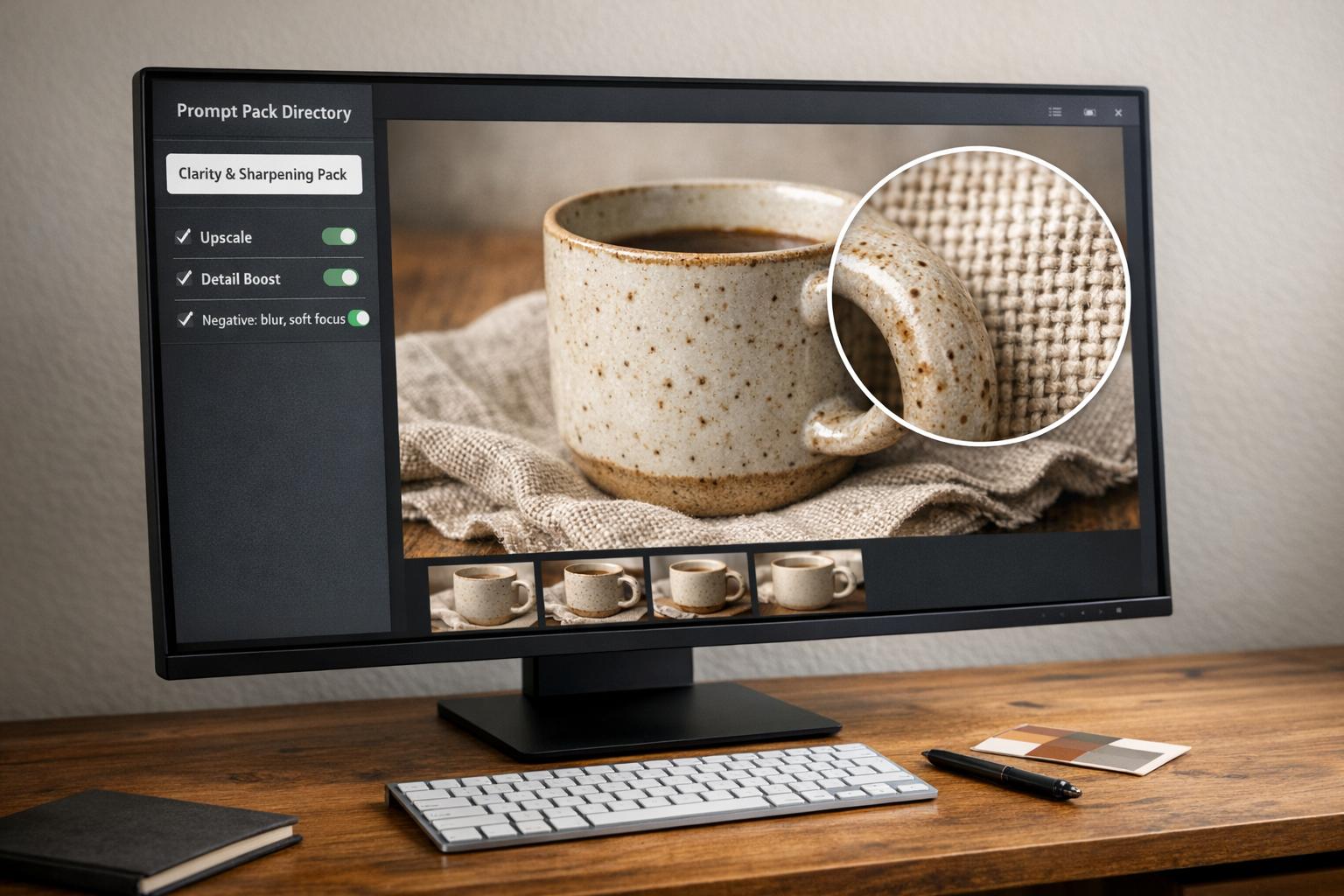
Think of prompt packs as starting points. Retain the key elements - like lighting, composition, and style - but replace subject or environment tokens to match your project. For instance, if you’re using a "cinematic portrait" pack, keep terms such as "soft studio lighting, 85mm lens" but swap out the character description to suit your needs. Tweak one variable at a time, like aspect ratio or lighting, to see how it changes the output. For further refinement, tools like the AI Image Prompt Optimizer and the AI Negative Prompt Generator can help remove unwanted elements, such as blur or awkward distortions. These packs transform hours of trial-and-error into a streamlined process, allowing you to focus on creativity.
Questions About Fixing Common Problems (Blur, Artifacts, Inconsistency)
Even after fine-tuning prompts and styles, creators often face challenges like blur, artifacts, or inconsistent results. These issues can be frustrating, but they are usually tied to prompt or parameter settings rather than limitations of the AI model itself. With a few adjustments, you can often resolve them effectively.
Why are my outputs blurry or low-quality?
Blurry images typically stem from prompts that lack detail. For example, a vague prompt like "a beautiful landscape" leaves too much room for interpretation, resulting in soft or imprecise visuals. To address this, include specific camera terminology such as "85mm lens, f/1.8 aperture, DSLR" and detailed lighting descriptions like "golden hour" or "Rembrandt lighting."
For Midjourney V8 (introduced in March 2026), you can use the --hd parameter to generate images in native 2K resolution. In Stable Diffusion, adjust the CFG scale to between 7 and 12 to strike a balance between saturation and coherence. If issues persist, an AI Image Prompt Optimizer can help refine your prompt structure, a step that aligns with Art Prompt HQ's focus on simplifying workflows.
How do I use negative prompts to remove unwanted elements?
Negative prompts are a powerful way to exclude unwanted features like blur, watermarks, or extra limbs. In Midjourney, you can append a negative directive to your prompt (e.g., --no blur, watermark, extra limbs), while Stable Diffusion has a dedicated field for listing these exclusions. This method is especially useful when working with prompt packs to ensure clean and consistent outputs.
For added efficiency, you can use an AI Negative Prompt Generator to create a tailored exclusion list, reducing the need for repetitive edits.
How do I get consistent results when generating multiple images?
Achieving consistency involves locking certain variables in your prompts. For Midjourney, the --seed parameter reproduces the same initial noise pattern, while --sref can maintain specific style elements like color palettes and lighting. The --oref (Omni Reference) parameter, available in Midjourney V7 and V8, ensures uniformity in character features. Stable Diffusion users can achieve similar control by using LoRA files.
When working with prompt packs, treat them as templates. Keep settings like lighting, composition, and camera details steady while varying only the subject or action. Adjust one variable at a time to better understand its impact on the final image. This approach can help you maintain a consistent style across multiple outputs.
What to Read and Try Next on Art Prompt HQ
Put your ideas into action with the free tools available on Art Prompt HQ. The AI Art Style Finder is perfect for discovering aesthetic phrases like Neo-Ghibli or Retro-Futurism. If you're fine-tuning technical details, the AI Image Prompt Optimizer helps with settings like aspect ratio, stylization, and quality. Struggling with unwanted elements in your images? The AI Negative Prompt Generator creates exclusion lists to eliminate blur, extra limbs, or watermarks. Combine these tools with curated prompt packs to streamline your workflow.
Expand your capabilities with curated prompt packs designed for consistency and precision. Whether you're using Midjourney V8, Stable Diffusion, DALL·E 3, or video tools like Sora and Runway, browse curated AI prompt packs to find ready-to-use systems tailored to your needs. For a deeper focus on specific styles, check out categories like illustration prompts or fantasy & sci-fi prompts. You can also explore the latest guides for detailed playbooks and workflow strategies.
Don't forget to bookmark Art Prompt HQ for quick access to tools, troubleshooting resources, and new prompt packs. With these resources, you can turn your concepts into polished results more efficiently while minimizing trial and error.