If you’ve ever struggled to get the exact image you envisioned from DALL·E, prompt packs can make a huge difference. These are pre-tested templates designed to guide the model with clear and detailed instructions, helping you save time and create consistent, polished visuals. Whether you’re working on marketing assets, product mockups, or concept art, this guide breaks down a simple 5-step process to use prompt packs effectively and align them with your goals.
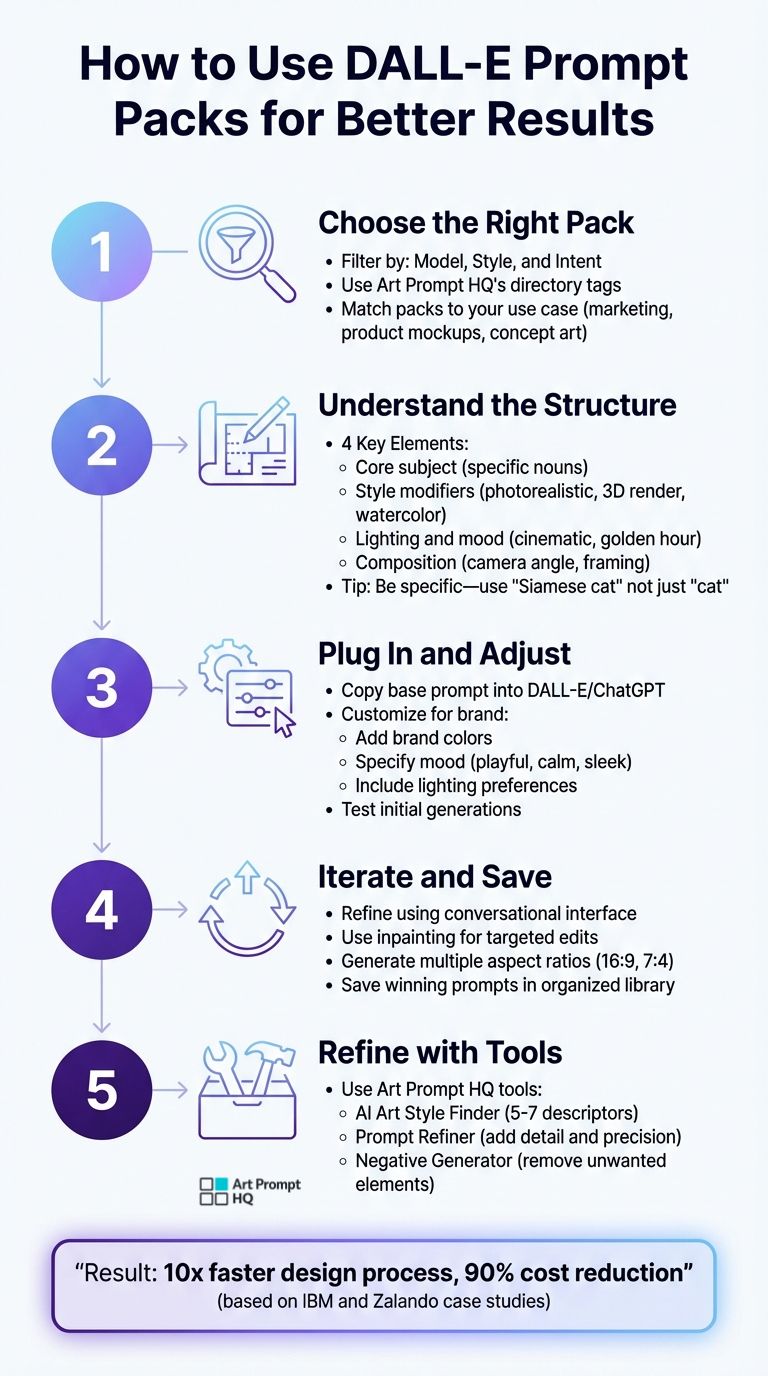
5-Step Process for Using DALL-E Prompt Packs Effectively
Why DALL·E Works Well with Prompt Packs
DALL·E is particularly well-suited for structured prompt packs because of its ability to process detailed, conversational instructions. Unlike models that rely on complex technical syntax, DALL·E 3 integrates seamlessly with ChatGPT, allowing it to interpret natural language with precision [2]. This makes it easier to follow a straightforward workflow for creating consistent, branded visuals.
DALL·E's Strength in Understanding Natural Language
One of DALL·E’s standout features is its ability to execute literal instructions across a variety of scenarios. For instance, during comparative testing, DALL·E 2 successfully generated an image of an "antique bust wearing a VR headset" - a complex request that Midjourney struggled to fulfill [2]. Furthermore, DALL·E handles spatial relationships exceptionally well, such as placing a "blue sphere over a green cube" or positioning a "hat on a head" [4]. According to Axios, "DALL·E's performance depends heavily on the specific wording of the text prompts" [2], which highlights the importance of using structured prompt packs with carefully crafted phrasing. This precision is especially useful when working with trending AI art prompts that require specific stylistic keywords to achieve modern looks.
The model also excels at processing modifiers like subject terms, style descriptions, and quality enhancements - key elements in most prompt packs. While Midjourney often favors concise prompts and Stable Diffusion relies on technical syntax such as weighted tokens and negative prompts, DALL·E thrives on detailed, conversational input [2].
How Prompt Packs Enhance Consistency
Prompt packs help address one of DALL·E’s limitations: its occasional difficulty with negative logic. For example, phrases like "no cars" or "without buildings" can sometimes lead to misinterpretation [2]. Structured packs tackle this by framing instructions positively, specifying what should appear in the scene rather than focusing on what should be excluded. Instead of saying "city street with no skyscrapers", a prompt pack might use "narrow, brick two-story alley" to guide the model toward the desired result.
Real-world applications demonstrate the effectiveness of this approach. In 2023, fashion retailer Zalando adopted AI-driven image pipelines using models like DALL·E, reducing production timelines from weeks to days and cutting costs by 90% [2]. Similarly, Klarna, a fintech company, used DALL·E, Midjourney, and Adobe Firefly to create over 1,000 campaign images in just three months, slashing production times from six weeks to one [2]. These examples show how structured prompt packs can streamline creative workflows and deliver faster results.
sbb-itb-997826f
Step 1 – Choose the Right Pack for Your Model, Style, and Intent
Start your DALL·E workflow by picking a prompt pack that matches your project's purpose, visual aesthetic, and the model you're using. Whether you're working on product mockups, character illustrations, social media graphics, or UI assets, defining your goal upfront makes it easier to browse Art Prompt HQ's prompt pack directory and get consistent, polished results.
Using Art Prompt HQ's Tags for Faster Selection
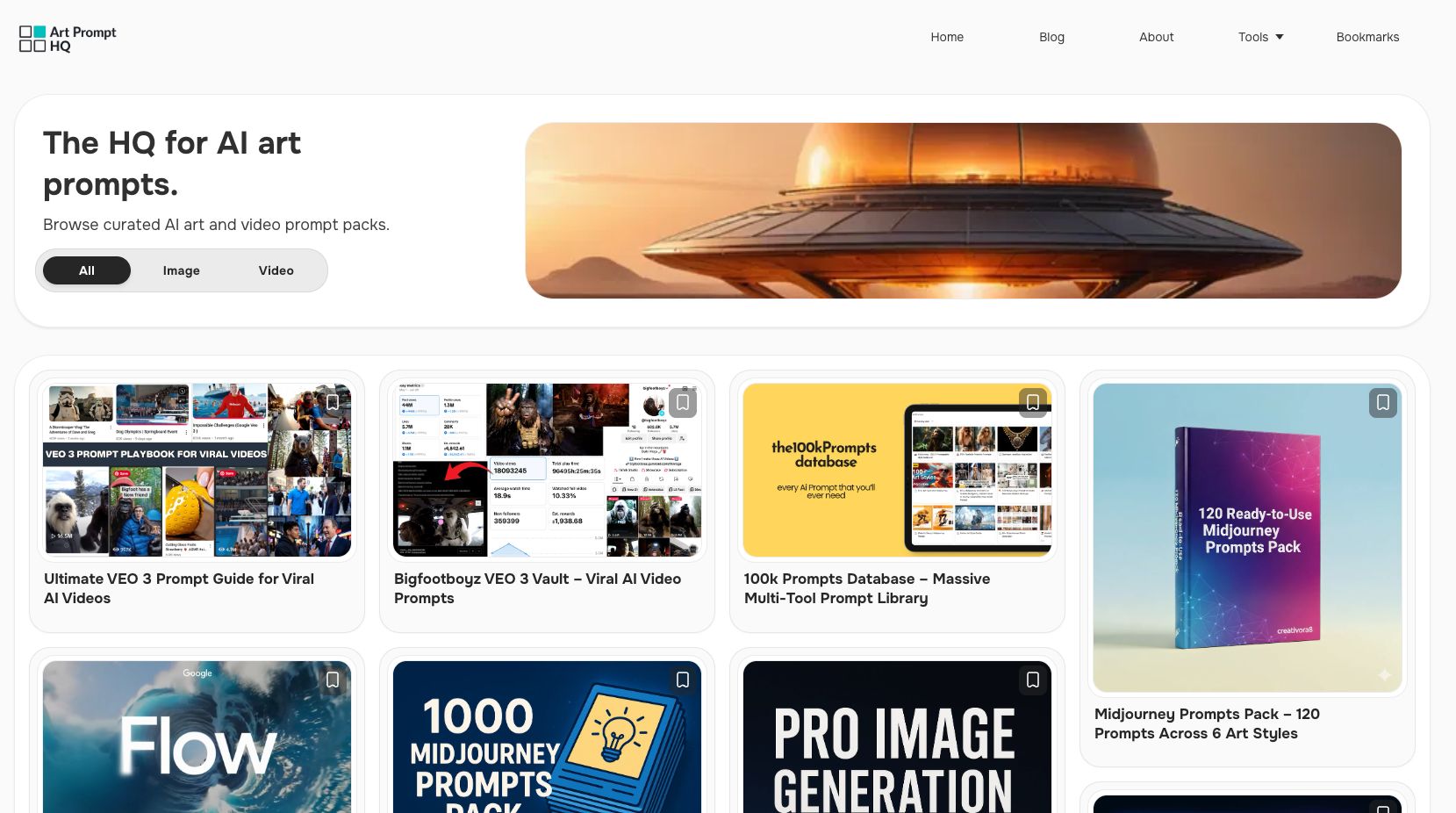
Art Prompt HQ simplifies the search process with three main filters: Model, Style, and Intent. The Model tag ensures the pack you choose works seamlessly with your version of DALL·E. For example, DALL·E 3 handles detailed instructions and integrated text better than earlier versions, so selecting a model-specific pack can save you time [2] [3]. The Style tag helps you focus on artistic techniques, such as watercolor or photorealism, or movements like impressionism or pop art. Lastly, the Intent tag highlights packs designed for particular purposes, such as branding, marketing, or stock imagery.
By combining these filters, you can quickly find packs that fit your creative vision. For instance, if you're crafting bold, editorial-style social media graphics, filtering for Intent: Marketing and Style: Fine Art could lead you to packs featuring terms like "cinematic lighting" or "trending on ArtStation."
Matching Packs to Common Use Cases
Focusing on intent can make your workflow faster and more effective. For example, in December 2023, researchers used DALL·E 3 to create product packaging mockups for Microsoft Surface headphones, leveraging the DEsignBench benchmark and a simple descriptive prompt to follow industry standards [1]. Similarly, the software company Vector, which specializes in sales enablement, used DALL·E to refine logo concepts. By specifying details like "Futura font" and a "V" made of two 45-degree arrows in purple and black, they skipped time-consuming early design stages [1].
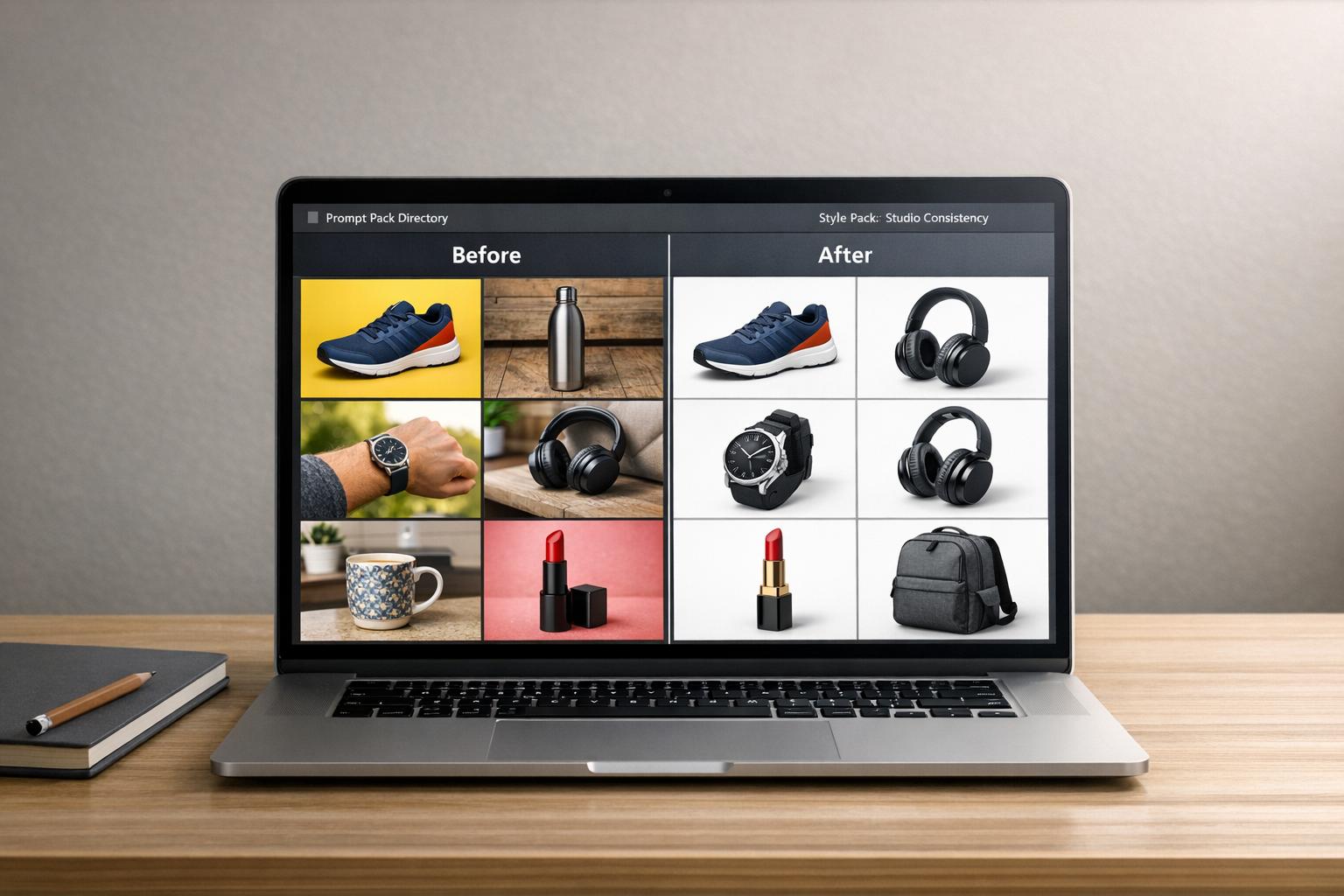
For e-commerce teams, a product mockup pack might include prompts with modifiers like "photorealistic", "studio lighting", and "8k macro lens" to deliver sharp, professional-quality images. Marketing teams have also relied on DALL·E to visualize concepts like the AIDA model (Awareness, Interest, Desire, Action). By requesting a "2-dimensional minimalist cartoon funnel", they cut coordination time between copywriters and designers by 50% [1]. These examples show how selecting the right pack sets the stage for efficient prompt customization in the next step.
Step 2 – Understand the Structure of Each Prompt Formula
To get consistent results, it’s important to break down how prompts are constructed. A typical prompt includes four key elements: the core subject, style modifiers, lighting and mood details, and composition instructions (like camera angle or framing). This structure acts as a flexible template, ensuring reliable outputs. The exact wording matters - DALL·E processes instructions literally. For example, using "Siamese cat" instead of just "cat" eliminates ambiguity, while swapping "big" for "colossal" or "towering" provides a more precise sense of scale. Prompt packs simplify this process by organizing these elements into reusable formulas, so you can quickly customize them for different projects.
Core Subject Descriptions
The core subject is the backbone of any prompt. Specific and detailed nouns - like "a vintage typewriter on a mahogany desk" or landscape AI art prompts for a "futuristic glass city at dusk" - help DALL·E focus on exactly what you want. Vague descriptions, on the other hand, often lead to unpredictable results. For instance, Klarna's creative teams demonstrated this in 2024 by using DALL·E, Midjourney, and Adobe Firefly to generate over 1,000 campaign images in just three months. By relying on structured, subject-focused prompts, they cut production timelines from six weeks to one week [2].
Style Modifiers and Negative Instructions
Style modifiers set the tone and aesthetic of your image. Phrases like "photorealistic", "3D Unreal Engine render", or "watercolor painting" guide DALL·E on the visual style to use. Adding quality-enhancing terms like "8k resolution" or "cinematic lighting" signals the model to prioritize detail and polish. Since DALL·E lacks a specific "negative prompt" feature, avoid phrasing like "no cars" (which can unintentionally generate cars). Instead, use positive descriptions, such as "an empty pedestrian walkway." You can also refine your prompts iteratively using tools like ChatGPT to remove unwanted elements. Including art terminology - such as "bokeh", "chiaroscuro", or "golden hour" - offers more precision without requiring lengthy descriptions.
Mastering these components will give you the tools to tailor prompts effectively and refine your results as you move forward.
Step 3 – Plug the Pack into DALL·E and Adjust for Your Brand
Now that you've set up a solid prompt formula, it's time to bring it to life. Start by copying a base prompt from the pack and pasting it into DALL·E's interface. You can do this through ChatGPT (which seamlessly integrates DALL·E 3) or directly on the standalone DALL·E platform. The conversational interface is incredibly handy for making real-time tweaks - just type adjustments like "make the sky more vibrant" or "add warm orange tones", and DALL·E will refine the image in seconds. This step-by-step process helps you stay productive while refining your creative vision.
Customizing Prompts for Brand Consistency
To ensure the generated images align with your brand, include specific details that reflect your visual style. Mention your brand colors explicitly - like "neon pink and teal" or "soft pastel shades" - to maintain consistency across your projects. Use descriptive words to capture the mood, such as "playful", "calm", or "sleek", and include lighting preferences like "sunset glow" or "diffused morning light" to set the right emotional tone. Adding terms like "hyperrealistic" or "highly detailed" can further enhance the quality of the final images.
Once you've tailored the prompt to fit your brand's identity, it's important to test the results to make sure everything aligns with your expectations.
Testing Initial Generations
After making your brand-specific adjustments, generate a few test images to evaluate the results. Since DALL·E interprets instructions very literally, any unexpected elements can usually be corrected by rephrasing your prompt in a positive, clear manner. For example, instead of saying "remove the harsh shadows", try "soften the shadows for a gentle look." You can also use the chat interface to request changes like shifting the perspective to a bird's-eye view or adjusting the lighting for a more dramatic effect.
IBM shared that using text-to-image tools sped up their design process by a factor of ten, cutting project timelines from two weeks to just two days [2].
Step 4 – Iterate, Save 'Winning' Variations, and Build a Reusable Library
After testing your initial creations, the real strength of DALL‑E prompt packs comes into play through iteration and refinement. This process turns a single great image into a reliable system, cutting down on trial and error for future projects.
Generating and Refining Variations
DALL‑E 3's conversational interface makes refining your images straightforward. Once you've generated an image you like, you can request adjustments in plain language - "make the sky brighter", "add more futuristic elements", or "use a warmer tone." This back-and-forth dialogue allows you to fine-tune elements like lighting, mood, and colors without starting over, often leading to ideas that better align with your brand or vision.
For more targeted edits, DALL‑E's inpainting tools let you modify specific parts of an image, such as removing unwanted details or changing a character's outfit, without altering the entire composition. When you land on a variation that works perfectly, consider generating it in multiple aspect ratios (like 16:9 for banners or 7:4 for social media) to make it versatile across platforms.
Organizing Favorites for Reuse
Turning a single success into a scalable system depends on how well you organize your best results. Save the exact prompt text along with each successful image, and make notes about any specific settings or modifiers that contributed to its success. To keep things efficient, create a simple organization method, such as using a Midjourney prompts bundle or a Notion database, - folders labeled by project type (e.g., "Marketing Materials" or "Concept Art") or a spreadsheet tracking keywords, style adjustments, and other relevant details.
Projects that incorporate a well-organized prompt library often see faster production times and reduced costs. Once you’ve built a collection of reliable prompts, you can use Art Prompt HQ's tools to further refine and expand your packs for even greater flexibility.
Step 5 – Use Art Prompt HQ's Tools to Refine and Extend Your Pack
Once you've developed and saved your best variations, Art Prompt HQ offers tools to help you take your prompt packs to the next level. With a strong library of prompts already in hand, these tools can assist in sharpening, expanding, and perfecting your prompts to ensure every DALL·E output aligns with your vision. These free resources are designed to help you explore new styles, refine existing prompts, and achieve more precise results.
Using the AI Art Style Finder
The AI Art Style Finder is a resource for pinpointing style modifiers that fit your brand's aesthetic. This tool helps identify visual elements that DALL·E interprets effectively, such as "professional digital illustration" or "trending on ArtStation." These style modifiers serve as the foundation for creating a cohesive "vibe" in your outputs.
When using the Style Finder, start your prompt with the most important stylistic keywords, as AI models prioritize the first few words. Including technical terms like "Unreal Engine" can add depth and clarity, while referencing specific artists can emulate their unique style. To strike the right balance, aim for 5–7 descriptors. Too many can overwhelm the model, while too few might leave the results too vague.
Enhancing Packs with the Prompt Refiner
The Prompt Refiner is ideal for improving the precision and tone of your prompts. It helps you refine the balance between your core subject and the visual details. For instance, instead of a generic prompt like "a person in an office", you could refine it to "a businesswoman in a modern office, working on a laptop, wearing a blue suit." This level of detail provides DALL·E with clear instructions to match your brand's needs.
When using the Prompt Refiner, include specifics about lighting, texture, and perspective. Phrases like "soft brushstrokes" or "low-angle shot" can help the AI generate results that align with your vision. For character-focused prompts, ensure that all descriptive traits are presented in a continuous phrase to avoid inconsistencies. As AI researcher Merzmensch aptly states:
Prompt Design is everything.
Adding Negative Prompts with the Negative Generator
The Negative Generator is a tool designed to remove unwanted elements from your outputs. Although DALL·E 3 is skilled in natural language processing, it can sometimes misinterpret negative instructions like "no cars." This tool rephrases your input to more effectively exclude specific elements, such as unwanted textures or objects, ensuring better control over the final composition.
For example, if your product mockups consistently include unnecessary background clutter, the Negative Generator can help eliminate those distractions, allowing the focus to remain on the main subject. By minimizing randomization, you can maintain a clean and consistent aesthetic across all your outputs. This is particularly useful for creating polished, professional results that align with your brand identity.
With these refinements in place, your prompt pack is ready to deliver reliable results. From here, you can continue exploring other DALL·E–friendly packs available on Art Prompt HQ to further expand your creative possibilities.
Next Steps: Explore More DALL‑E‑Friendly Packs on Art Prompt HQ
Now that you've fine-tuned your workflow and optimized your current prompt packs, it's the perfect time to broaden your creative toolkit.
Using DALL‑E prompt packs has helped you establish a reliable system. The next logical step is to explore additional DALL‑E prompt packs tailored for different styles, subjects, and purposes.
Expanding your library of prompt packs can save time and effort, helping you streamline your process and shorten production cycles. Art Prompt HQ's directory makes it easy to find what you need by organizing packs based on model, style, and intent. Whether you're working on product mockups, character designs, or diverse art categories, these packs provide tested prompts that take advantage of DALL‑E's natural-language capabilities. This method complements the workflow you've already built, ensuring your visuals stay consistent and aligned with your goals.
As AI specialist Shailendra Kumar puts it:
OpenAI's Prompt Packs are a game changer if you want to speed up your daily work without reinventing the wheel every time you open ChatGPT. [5]
Take some time to explore the directory and discover packs that can tackle your next creative project.
FAQs
What is a DALL‑E prompt pack?
A DALL‑E prompt pack offers a collection of structured prompts tailored to produce consistent and visually appealing images. These packs often include detailed prompt templates, variations in style and subject matter, and optional negative prompts, simplifying the process of creating reliable and cohesive visuals with DALL‑E.
How do I keep results on-brand with a prompt pack?
To ensure your results align with your brand’s identity, tailor prompts to reflect your unique style, subject matter, and mood. Start with the structure provided in the prompt pack and adjust it to fit your visual language. Tools like Art Prompt HQ’s Style Finder can help you discover styles that complement your brand. Refine your prompts step by step - evaluate the outputs, tweak the details, and repeat as needed to maintain a consistent tone that matches your brand’s personality.
How do I exclude unwanted objects without “negative prompts”?
To keep unwanted objects out of your DALL·E creations without relying on negative prompts, focus on being specific about what you do want in your description. For instance, rather than mentioning what to exclude, frame your prompt around the desired outcome: "a cityscape at dusk with empty streets" or "a close-up portrait of a person, no accessories." By highlighting the elements you want, you guide the model's attention and naturally minimize unwanted details. Clear and detailed prompts are key to achieving better results.