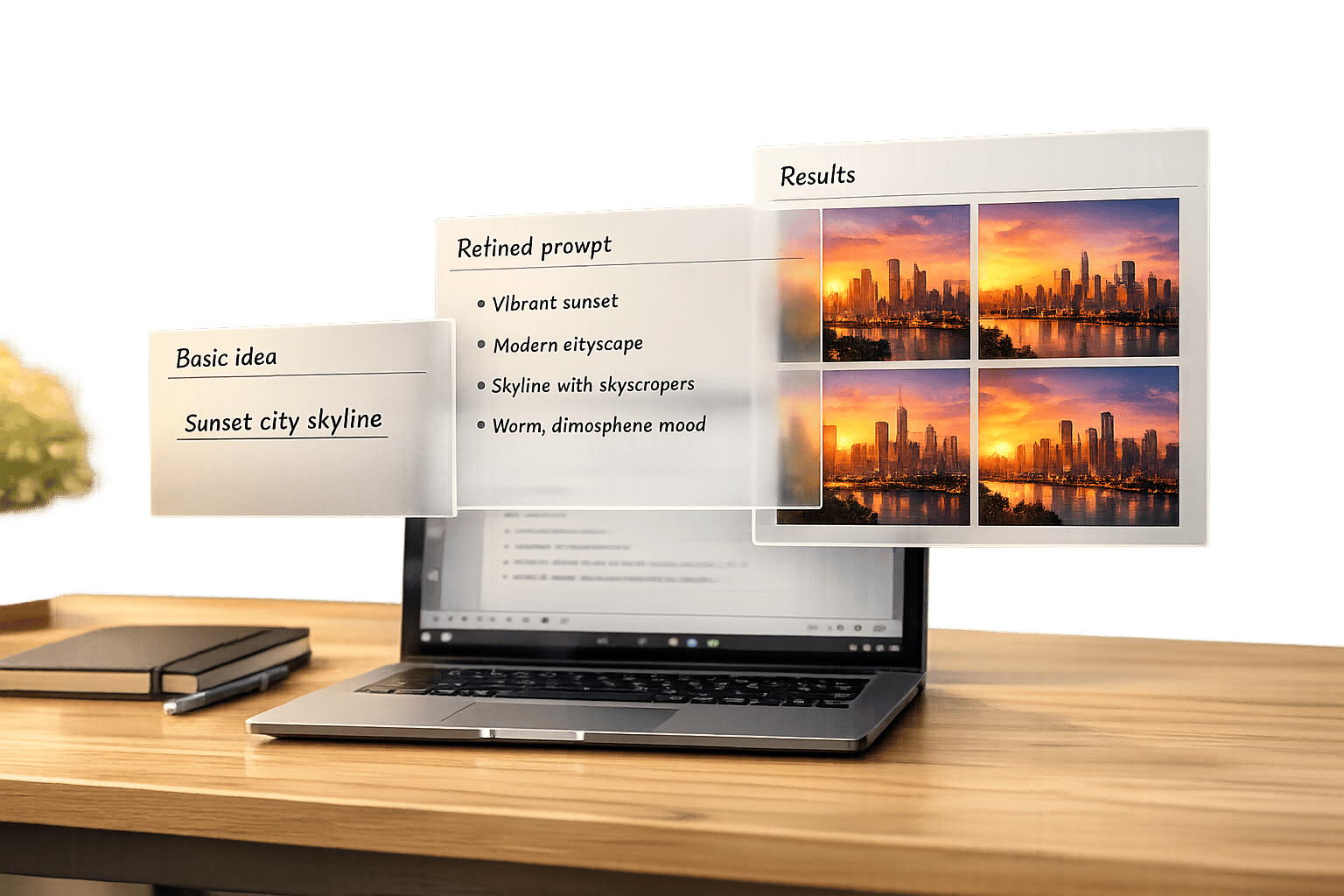
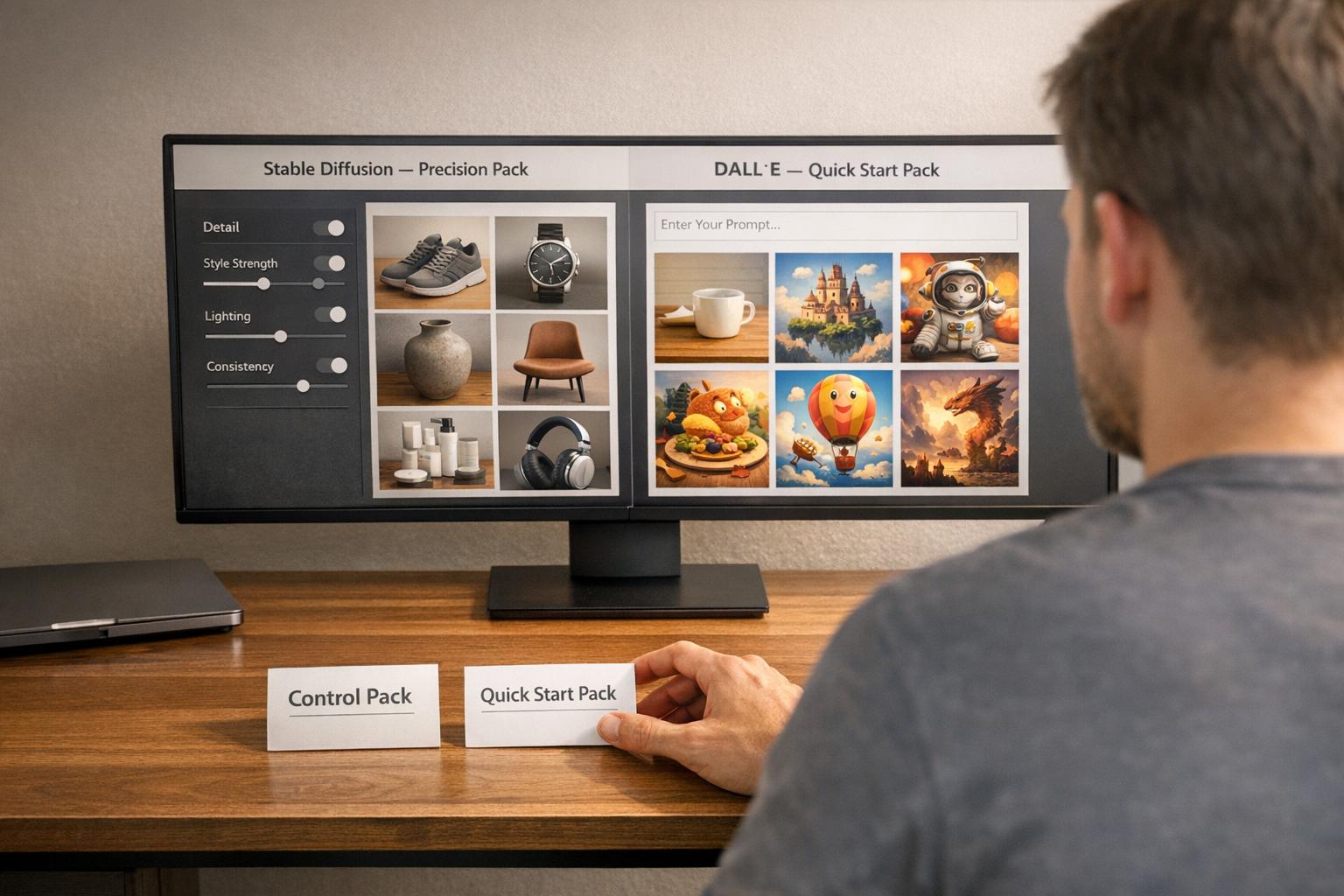
AI video prompt packs make it easier to create polished videos with tools like VEO 3 and Runway by providing detailed, pre-tested instructions. These packs help professionals move from random, inconsistent results to predictable, high-quality outputs. Choosing between VEO 3 and Runway depends on your project needs: VEO 3 is ideal for cinematic, production-grade visuals, while Runway excels at fast, flexible video creation for social media and quick iterations. This guide explains how to pick the right tool and prompt pack for your workflow.
VEO 3 delivers native 4K resolution, synchronized audio, and cinematic realism, making it a strong choice for commercials or high-end storytelling. Runway, on the other hand, offers faster rendering, precise motion tools, and cost-effective subscription plans, perfect for social media content and large-scale production needs. Using a short-form video prompts bundle can further accelerate this process. Both tools have unique strengths, and understanding them helps you streamline your video production process.
VEO 3 Prompt Pack Strengths and Use Cases
VEO 3 prompt packs are designed to deliver visuals that meet broadcast standards while maintaining efficiency. The model offers native 4K resolution (2160p), film-level color science, and synchronized audio generation, making it ideal for projects requiring a polished, cinematic finish. Its ability to produce cinematic textures - like film grain and professional color grading - ensures a high-end look. Additionally, the SynthID watermarking system keeps client deliverables clean and professional [4] [5]. These features make VEO 3 a strong choice for demanding video production needs.
Cinematic Storytelling and High-Realism Projects
VEO 3 stands out in projects that require cohesive narratives and lifelike details. It accurately interprets professional camera terms like "dolly-in", "tracking shots", and "over-the-shoulder framing", allowing for seamless, cinematic sequences. Its advanced physics engine enhances realism by rendering elements like natural water flow, fabric movement, and nuanced lighting gradients. Importantly, the model ensures character consistency across scenes, a key requirement for commercials and short films [6].
One of its standout features is synchronized audio generation, which produces dialogue, sound effects, and ambient audio in real-time - minimizing the need for post-production. As an example, in October 2025, Umesh Bude, CTO of Pocket FM, noted that AI-generated promos using VEO 3.1's precise lip-syncing capabilities led to a 30–40% boost in user retention, achieving acquisition results comparable to live-action promos [9].
Complex Animations and Visual Effects
VEO 3 simplifies the creation of intricate animations and visual effects. Its "First and Last Frame" feature enables smooth transitions, such as 180-degree arc shots or complex transformations, by animating between two distinct images. The "Ingredients to Video" system ensures consistency in character design and style across multiple shots - critical for narrative-driven projects [9] [11]. These tools have drastically shortened production timelines for major studios. For instance, in May 2025, Kraft Heinz utilized VEO 3 through Google Cloud's Vertex AI to complete creative projects in just eight hours, compared to the eight weeks previously required [12].
These animation tools are complemented by extensive customization features, offering creators the flexibility to bring their vision to life while maintaining efficiency.
Creative Control and Customization Options
For projects that demand meticulous control, VEO 3 offers a range of customization options to enhance its cinematic capabilities. Prompt packs for this model are based on a five-part formula, allowing precise adjustments to lens effects, camera movements, and environmental details. Users can generate clips of varying lengths - 4, 6, or 8 seconds - with the option to extend beyond 60 seconds while preserving visual consistency [2] [9].
The "Timestamp Prompting" feature in VEO 3.1 adds another layer of control. By specifying actions for exact timeframes (e.g., 00:00–00:02), creators can direct multi-shot sequences with precise pacing [9].
"Features like Veo 3.1's 'first frame, last frame' capability are proving to be transformative, providing our teams with powerful new tools for narrative control and innovation."
Runway Prompt Pack Strengths and Use Cases
Runway prompt packs are designed to emphasize speed, flexibility, and precise creative control, making them perfect for quick turnarounds and handling large-scale production needs. While VEO 3 focuses on cinematic realism and native audio, Runway shines in situations where creators need to generate multiple variations rapidly, repurpose assets, or fine-tune camera and object movements. Its subscription-based credit system allows for experimentation without worrying about per-second costs, giving creators the freedom to iterate efficiently [2]. These features make it particularly effective for tasks like content repurposing, fast-paced projects, and optimizing social media workflows.
Runway's Gen-4 Turbo model is a standout feature, operating approximately seven times faster than standard models. It can deliver standard clips in just 30–45 seconds and shorter 5–10 second clips in about 1–3 minutes, significantly cutting production times compared to VEO 3’s average of 3–5 minutes [2][10].
Content Repurposing and Editing Efficiency
Runway excels at repurposing content, transforming static brand assets into dynamic videos with ease. Its image-to-video conversion tool allows users to use a static image as the first frame, locking in composition, lighting, and style while focusing subsequent prompts on motion. This ensures the final output stays true to the original branding. Additionally, Runway includes professional-grade editing tools like AI-driven masking, motion tracking, and background removal, simplifying post-production tasks that would typically require separate software [2].
Another key advantage is Runway’s ability to export camera tracking data in JSON or FBX formats, enabling seamless integration with 3D tools like Blender or After Effects - features that VEO 3 does not provide [1].
"Runway Gen-4's single most important feature for professional creatives is the ability to export camera tracking data. This is a game-changer."
- Chase Jarvis [1]
Speed and Ease of Use for Quick Projects
Runway’s Turbo models are ideal for projects with tight deadlines, offering the speed needed during client review cycles or creative sprints. The Motion Brush feature allows creators to directly paint motion paths onto elements in a frame, bypassing the need for lengthy text-based prompts for camera movements. This is particularly useful for tasks like product demos and branded content [7].
"Runway Gen-3 thrives in sprint cycles where we crowdsource mood boards, remix assets, and ship drafts every few hours."
- Claire, AI Video Producer [5]
Runway also integrates seamlessly with Adobe Premiere Pro, allowing editors to generate variations directly within their editing workflow. This reduces production friction and saves valuable time during the creative process [5].
Social Media and Short-Form Content
Runway prompt packs are tailored for the native aspect ratios of platforms like TikTok (9:16), Instagram Reels (1:1 and 9:16), and YouTube Shorts (9:16), eliminating the need for additional cropping. The Unlimited plan, priced at $76 per month, provides unlimited relaxed-mode generations, making it a cost-effective option for creators producing large volumes of social media content [2][3].
Features like Director Mode enable precise control over camera movements using specific cinematography terms such as "camera pan", "truck left/right", "dolly in/out", and "zoom." For creators aiming to maintain consistent branding, the Consistent Character feature allows the use of a reference image to ensure stable character appearances across multiple clips. Additionally, the ability to use the last frame of a sequence as input makes it easier to extend narratives seamlessly [1][13].
"Pick Runway if you need to generate a lot of content quickly and cost matters."
- PXZ.ai [2]
Head-to-Head Comparison: VEO 3 vs Runway
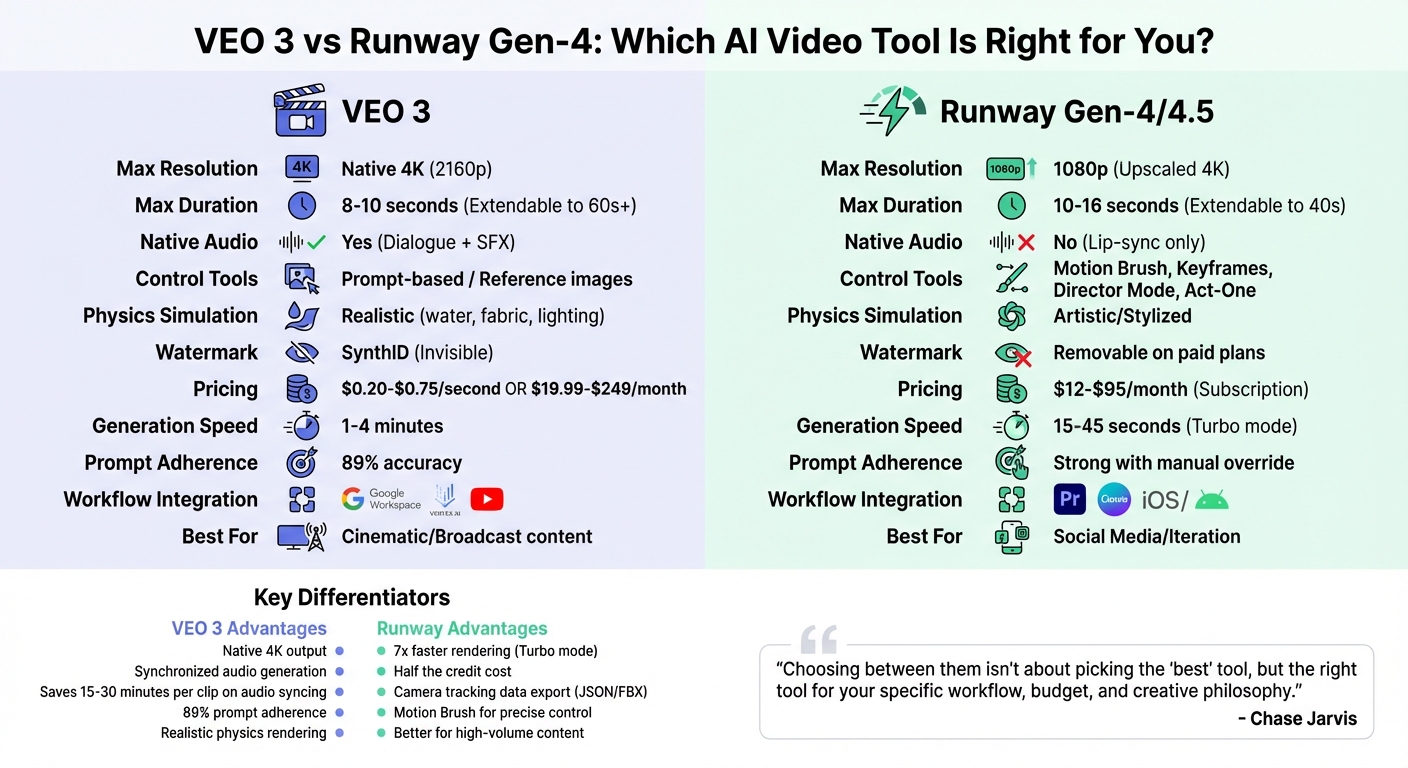
VEO 3 vs Runway Gen-4: Feature Comparison for AI Video Generation
Google VEO 3 stands out for its ability to produce broadcast-quality visuals with high photorealism and native audio, making it a go-to for cinematic storytelling with POV-style clips. On the other hand, Runway (Gen-4/4.5) focuses on giving creators granular manual control, enabling rapid iterations and precise adjustments, which aligns well with fast-paced content creation needs.
Key differences emerge in areas like audio integration, resolution, and post-production workflow. VEO 3 excels with synchronized dialogue, sound effects, and ambient audio, while Runway outputs silent videos, requiring external audio syncing. For resolution, VEO 3 supports native 4K output, whereas Runway Gen-4 tops out at 1080p and often requires upscaling for 4K projects.
When it comes to creative control, Runway offers advanced tools such as Motion Brush, Director Mode, and Act-One for facial performance transfer. In contrast, VEO 3 leans heavily on detailed prompts, achieving an impressive 89% adherence rate, and includes an "Ingredients to Video" feature that uses reference images to ensure visual consistency.
"Choosing between them isn't about picking the 'best' tool, but the right tool for your specific workflow, budget, and creative philosophy."
- Chase Jarvis, Creative Professional
Below is a quick comparison of their key features and use cases:
Comparison Table: Key Features and Use Cases
| Feature | Google VEO 3 | Runway Gen-4/4.5 |
|---|---|---|
| Max Resolution | Native 4K | 1080p (Upscaled 4K) |
| Max Duration | 8–10 seconds (Extendable) | 10–16 seconds |
| Native Audio | Yes (Dialogue + SFX) | No (Lip-sync only) |
| Control Tools | Prompt-based / Reference images | Motion Brush, Keyframes, Director Mode |
| Physics Simulation | Realistic physics for water, fabric, and similar elements | Artistic/Stylized |
| Watermark | SynthID (Invisible) | Removable on paid plans |
| Pricing Model | Consumption-based ($0.20–$0.75/sec) | Subscription-based ($12–$95/mo) |
| Best For | Cinematic/Broadcast | Social Media/Iteration |
| Generation Speed | 1–4 minutes | 15–45 seconds (Turbo mode) |
| Prompt Adherence | 89% accuracy | Strong, with manual override options |
| Workflow Integration | Google Workspace (Docs, Drive) | Premiere Pro plugin, API access |
This breakdown highlights the strengths of each platform, helping you match the right tool to your specific project needs.
When to Choose VEO 3 Prompt Packs
VEO 3 prompt packs are the go-to choice when your project demands visuals with uncompromising realism and top-tier production value. Whether you're creating content for large screens or aiming for the polished look of traditional cinematography, VEO 3's native 4K output and physics-aware rendering provide the quality you need [4]. These packs also offer granular controls, which are crucial for executing distinct creative visions.
Projects Requiring Cinematic or Artistic Detail
VEO 3 is built for cinematic-level video production, offering features like physics-aware camera movements and dynamic lighting that mirrors real-world cinematography. It excels in simulating natural physics, such as realistic water dynamics, smoke dispersion, and fabric movement. This makes it an excellent choice for high-end commercials, narrative projects, and environmental scenes where authenticity is key.
Industry professionals have used these capabilities to achieve consistent storytelling and faster production timelines. With its native audio integration, VEO 3 enables synchronized dialogue and precise sound effects, reducing the need for extensive post-production work.
For instance, in October 2025, Pocket FM utilized VEO 3.1 to create promotional content for their flagship audio shows. Under the guidance of CTO Umesh Bude, the team achieved lifelike lip-sync and cinematic visuals, which led to a 30–40% boost in user retention. Additionally, this approach saved creators 20 to 30 minutes of post-production time per clip compared to silent AI video tools [9].
These cinematic advantages are complemented by VEO 3's advanced customization options, offering creators a powerful toolkit for precise execution.
Advanced Customization Needs
VEO 3 prompt packs cater to creators who need detailed control over their projects without relying entirely on manual edits. The model understands professional film terminology - such as "dolly shot", "crane shot", or "shallow depth of field" - enabling users to set precise visual directives with high accuracy. Features like "Ingredients to Video" allow you to upload reference images to maintain consistency in characters or styles across multiple scenes, which is critical for projects that demand continuity or adhere to brand-specific aesthetics.
For those seeking maximum control, using concise technical language and layered instructions (e.g., shot type, movement, and lighting) in prompts is essential. Advanced users can even utilize timestamp prompting with bracketed segments (e.g., [00:00–00:02]) to define specific actions or camera movements in multi-shot sequences. This level of customization ensures efficient workflows and high-quality results, making it an ideal choice for professionals aiming for precision and consistency in their visual storytelling.
sbb-itb-997826f
When to Choose Runway Prompt Packs
Runway stands out for its focus on speed and efficiency, making it a go-to option for creators who value rapid production and seamless workflow integration. Its Turbo models can generate clips in just 1–3 minutes, significantly faster than VEO 3 and Sora 2 average of 2–4 minutes, while also being more cost-effective [8][15]. Runway CEO Cristóbal Valenzuela summed up this advantage succinctly:
"It now takes me longer to type a sentence than to generate a video" [15].
Runway offers practical tools that cater to professional creators' needs. Unlike VEO 3, which is limited to a web interface, Runway provides apps for iOS and Android, a Premiere Pro plugin, and Canva integration. These options allow marketing teams to drop generated clips directly into social media calendars without the hassle of manual file transfers [5]. For creators producing 15–30 short-form videos monthly for platforms like TikTok, Instagram Reels, or YouTube Shorts, Runway’s subscription pricing ($12–$76/month) is often a more economical choice compared to VEO 3’s usage-based pricing of $0.50–$0.75 per second [2]. This combination of speed and affordability makes Runway ideal for crafting content tailored to social media.
Quick, Simple, and Social Media-Ready Videos
Designed with speed and simplicity in mind, Runway is particularly suited for social media managers and marketing teams who need to meet tight deadlines. The Gen-4 Turbo model is approximately seven times faster than its competitors and costs about half as much per second, enabling quick cycles of brainstorming, asset remixing, and draft creation [2][5]. Claire, an AI video producer, highlighted this efficiency:
"Runway Gen-3 thrives in sprint cycles where we crowdsource mood boards, remix assets, and ship drafts every few hours" [5].
Runway’s Motion Brush tool further enhances its appeal by offering granular control over video elements without requiring complex text prompts. This tool allows creators to paint motion paths directly onto specific elements in a frame, such as defining how a product rotates or how the camera moves across a scene [2]. Beyond its speed, Runway also shines in projects that involve reimagining or repurposing existing content.
Projects Focused on Content Repurposing
Runway’s Video-to-Video capabilities and Act-One performance transfer feature make it a strong choice for repurposing existing assets [10][14]. Act-One simplifies character animation by transferring facial expressions and performances from source footage, even from basic smartphone videos, to AI-generated characters. This eliminates the need for time-consuming manual keyframing, making it especially useful for animating brand mascots or creating character-driven social media content [1].
For VFX professionals, Runway offers the ability to export camera tracking data in JSON or FBX formats, which can be seamlessly integrated with software like Blender, Cinema 4D, or After Effects [1]. Chase Jarvis, a professional photographer and creator, emphasized the importance of this feature:
"Runway Gen-4's single most important feature for professional creatives is the ability to export camera tracking data. This is a game-changer" [1].
This functionality allows creators to composite 3D elements - such as floating text, logos, or product models - into AI-generated scenes, a capability that VEO 3’s limited VFX tools do not support. For those sticking with Google's ecosystem, mastering the VEO 3 prompt guide is essential for maximizing output quality. For professionals seeking versatility in both content creation and repurposing, Runway provides a comprehensive solution.
Feature Comparison Summary Table
Summary Table: Features, Accessibility, and Pricing
This table outlines the main differences in features, performance, and pricing between VEO 3 and Runway, highlighting their distinct strengths for various creative needs.
If your focus is on native 4K resolution and integrated audio, VEO 3 is the better choice. It simplifies production by generating synchronized audio alongside visuals, eliminating the need for separate sound design. On the other hand, Runway excels in precise motion control, offering tools like the Multi-Motion Brush and Act-One performance transfer, which are ideal for projects requiring detailed creative input.
The tools also differ in accessibility and pricing. Runway is browser-based and offers subscription plans ranging from $12 to $76 per month, making it a cost-effective option for teams producing high volumes of content. VEO 3 is available through Google AI Pro ($19.99/month), Google AI Ultra ($249/month), or pay-per-use API pricing via Vertex AI at $0.50–$0.75 per second. VEO 3 integrates seamlessly with Google Workspace, Vertex AI, and YouTube, while Runway supports platforms like Premiere Pro and Canva.
Performance-wise, each tool shines in different areas. Runway Gen-4 Turbo renders clips up to seven times faster at half the credit cost [2]. Meanwhile, VEO 3 reduces overall production time to 10–20 minutes by natively generating audio, compared to Runway's 25–45 minutes when factoring in manual audio sourcing and syncing [2]. Benchmark tests reveal Runway Gen-4.5 leading in motion realism with an Elo score of 1,247, while VEO 3 scores 1,226 but takes the edge in physics accuracy for natural elements like water and fabric [4][10].
| Feature | Google VEO 3 | Runway Gen-4.5 |
|---|---|---|
| Max Resolution | Native 4K (2160p) | 1080p (4K via upscaler) |
| Native Audio | Dialogue, SFX, Ambient | Silent (post-production required) |
| Motion Control | Prompt-based, Motion Brush | Multi-Motion Brush, Keyframes, Act-One |
| Max Duration | 8s (extendable to 60s+) | 10–16s (extendable to 40s) |
| Rendering Speed | 30–60 seconds | 15–30 seconds |
| Pricing | $19.99–$249/month or $0.50–$0.75/second | $12–$76/month (subscription) |
| Ecosystem | Google Workspace, Vertex AI, YouTube | Premiere Pro, Canva, iOS/Android apps |
| Watermark | SynthID (invisible) | Removable on paid plans |
| Best For | Cinematic brand films, high-end commercials | Social media, rapid prototyping, VFX sequences |
These differences can help you choose the right tool for your project. Runway's subscription plans provide predictable costs, making it well-suited for teams with regular content needs. Meanwhile, VEO 3's native 4K output and integrated audio are ideal for high-end deliverables, where saving 15–25 minutes per clip on manual audio syncing can justify its higher cost [2].
Conclusion and Key Takeaways
Deciding between VEO 3 and Runway depends entirely on the specific needs of your project. VEO 3 excels at delivering native 4K visuals with built-in audio, making it a strong choice for cinematic projects. On the other hand, Runway stands out for its quick, flexible outputs, ideal for social media content, with tools like Motion Brush and Act-One enabling fast iteration and camera tracking suited for VFX work. As Claire from Skywork AI aptly states:
"Veo 3 vs Runway Gen-3 comes down to whether cinematic fidelity or iteration speed is the priority" [5].
The key is aligning the tool's strengths with your creative objectives. Here are three focused takeaways to help guide your decision.
3 Key Takeaways for Choosing the Right Tool
-
Align the tool with your deliverables.
For polished content requiring lifelike human movement and synchronized dialogue, VEO 3’s built-in audio can save 15–30 minutes per clip by eliminating the need for manual sound syncing [2]. For fast-paced prototyping and social media content, Runway’s subscription plans offer predictable costs and quicker rendering. -
Adopt a hybrid workflow if needed.
Many creators start with Runway for brainstorming and producing high-volume social content, then transition to VEO 3 for final, high-quality "hero" shots that demand superior realism [2]. -
Consider your existing workflow tools.
Runway integrates seamlessly with Adobe Premiere Pro, making it a great choice for traditional editing workflows. Meanwhile, VEO 3 is deeply connected with Google Workspace and Vertex AI, which is ideal for enterprise teams already using those platforms [2].
Explore More on Art Prompt HQ
To fine-tune your workflow, check out the curated prompt packs available on Art Prompt HQ. This directory organizes packs for both VEO 3 and Runway, tailored by use case, style, and project type. Whether you need cinematic storytelling prompts for VEO 3 or collections designed for social media content with Runway, Art Prompt HQ simplifies the search process. Browse categories like marketing, product visualization, and content repurposing to streamline your AI video production and deliver content that aligns with your brand.
FAQs
Can I use both VEO 3 and Runway in one workflow?
Yes, you can combine VEO 3 and Runway in a single workflow since they work well together. VEO 3 specializes in producing full videos with synchronized audio and a focus on realism, while Runway stands out for its fast processing and advanced editing tools. Using both lets you take advantage of VEO 3's audio integration and lifelike output alongside Runway's efficiency and fine-tuned controls, streamlining your video production process.
How do I pick between per-second pricing and a subscription plan?
When working on occasional or smaller projects, per-second pricing can be a smart choice. It keeps costs manageable, especially if your video production needs are infrequent or short-term. On the other hand, subscription plans are ideal for those with consistent, high-volume production requirements. They provide predictable monthly costs and typically come with higher usage limits.
When deciding, think about your project volume, budget, and how often you’ll use the service. Choose the pricing model that best fits your specific needs and production workflow.
What’s the best way to keep characters consistent across clips?
To keep character consistency intact across clips when working with tools like VEO 3 and Runway, focus on crafting detailed prompts that include consistent descriptions of the character, environment, and overall style. Use the same reference images and style elements in each prompt to maintain a unified appearance. This approach helps deliver cohesive results and reduces unwanted variations, especially when advanced prompt techniques and carefully chosen visual references are used to uphold a specific brand or character identity throughout multiple clips.