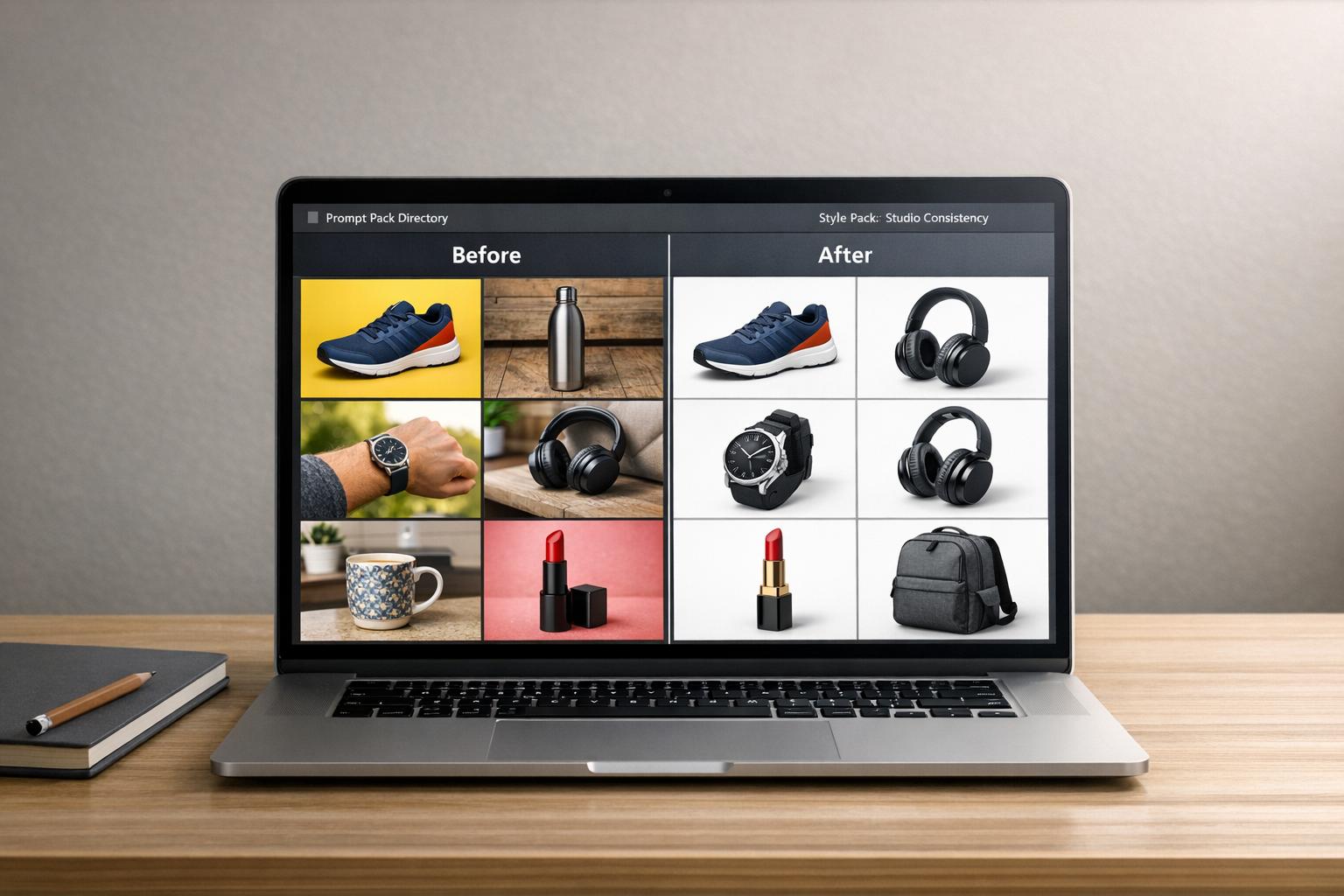
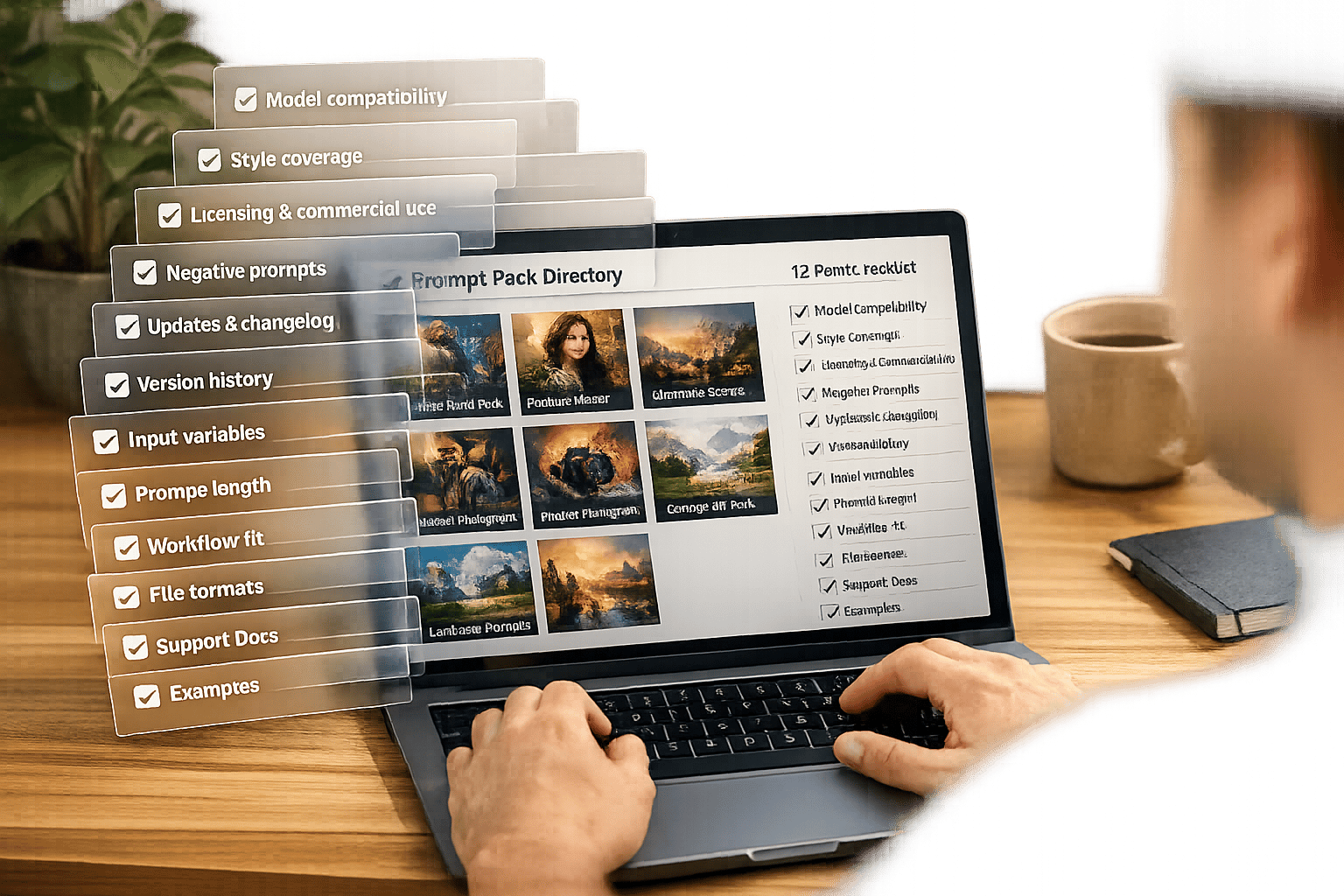
AI art prompt packs make creating detailed fantasy and sci-fi visuals faster and more reliable. Instead of starting from scratch or wasting time tweaking random prompts, these packs offer pre-tested templates designed for specific styles, models, and goals. Whether you’re designing a retro-futuristic cityscape or a magical forest, such as a starlit fantasy landscape, prompt packs help maintain consistent lighting, composition, and mood across all your images. This guide explains how to use them effectively with tools like Midjourney, FLUX 1.1 Pro, and text-to-video platforms like Sora.
Why Fantasy and Sci-Fi Work Well with AI Art Prompt Packs
Fantasy and sci-fi genres push AI tools to their limits, often requiring intricate details to bring their worlds to life. Take a cyberpunk street scene, for instance - it needs neon rim lighting, volumetric fog, and rain-slicked pavement to convey its atmosphere. Similarly, a dragon’s lair thrives on dramatic shadows, glowing treasures, and cinematic depth. Trying to achieve such complexity through trial and error can eat up hours, especially when you’re working to maintain consistency across multiple images. This is where prompt packs become incredibly useful.
Prompt packs act as detailed guides for crafting these intricate visuals. They offer pre-tested formulas for specific aesthetics, whether it’s [Neo-Ghibli, retro-futurism, or dark fantasy](https://www.artprompthq.com/prompts/trending-ai-art-prompts-2025-pack/). Instead of wrestling with which tokens control volumetric light or how best to describe "ominous twilight", you can rely on these structured prompts to get consistent results. This approach removes the guesswork, ensuring that if you swap out a character or tweak an environment, the overall lighting, mood, and composition stay cohesive.
Another advantage is the learning opportunity these packs provide. The complexity of fantasy and sci-fi makes them great for understanding how specific tokens shape an image. Professional fantasy prompt packs let you dissect how terms like "bioluminescent", "triumphant", or "starship cockpit" influence the final output. As AI educator Travis Nicholson explains:
"Once you understand how styles and prompting interact, you stop 'hoping' for good results and start designing them."
These genres also lend themselves well to modular scene-building. With prompt packs, you can mix and match blocks for characters, environments, and lighting to create cohesive compositions. For example, a "silver-haired warrior" block can be paired with prompts like "magical forest at twilight" and "golden hour cinematic lighting" to produce a hero portrait that fits seamlessly into your world’s aesthetic.
This structured method not only speeds up the creative process but also ensures you’re producing polished assets for projects like games, client work, or TTRPG campaigns.
sbb-itb-997826f
What Makes a Good Fantasy/Sci‑Fi Prompt Pack
When it comes to creating immersive worlds, a well-crafted fantasy or sci-fi prompt pack is key. Not all packs are created equal, and the ones that stand out focus on a specific subgenre - whether it's space opera, cyberpunk, dark fantasy, or high fantasy. This narrow focus helps maintain a consistent style and avoids the pitfalls of generic, scattered results.
Core Components of Quality Prompt Packs
The most effective prompt packs rely on modular templates that allow users to tweak variables without having to rewrite the entire prompt. For instance, one impressive pack offers over 101,100 variations by using placeholders like {race}, {class}, {biome}, and {lighting} [3]. With this setup, you can easily transform a "silver-haired warrior in a magical forest at twilight" into a "cybernetic hacker in a neon-lit alley at midnight" while keeping technical details like lens settings, depth of field, and composition intact.
These packs often include detailed art direction, specifying elements like lighting, camera angles, and textures to ensure professional-quality results. As Art Prompt HQ notes:
"The structure bakes in subject, lighting, camera, and composition so you can swap in different characters or styles without rebuilding the prompt from scratch" [2].
How Different Subgenres Use Prompt Packs
Each fantasy or sci-fi subgenre has its own visual language, and specialized prompt packs are designed to match these unique styles. Below is a table outlining key elements and atmospheres for several popular subgenres:
| Subgenre | Key Visual Elements | Recommended Lighting/Atmosphere |
|---|---|---|
| Cyberpunk | Neon holographic ads, rain-slicked streets, augmentations | High-contrast neon, "Blade Runner" vibe |
| Space Opera | Starships, bioluminescent planets, solar arrays | Cinematic lighting, epic scale, "hard sci-fi" |
| Dark Fantasy | Ancient ruins, glowing runes, scorched landscapes | Dramatic shadows, "Rembrandt" lighting, eerie |
| High Fantasy | Elven cities, organic structures, living wood | Twilight skies, glowing flora, magical tones |
From Concept Sketches to Finished Scenes: A Step-by-Step Workflow
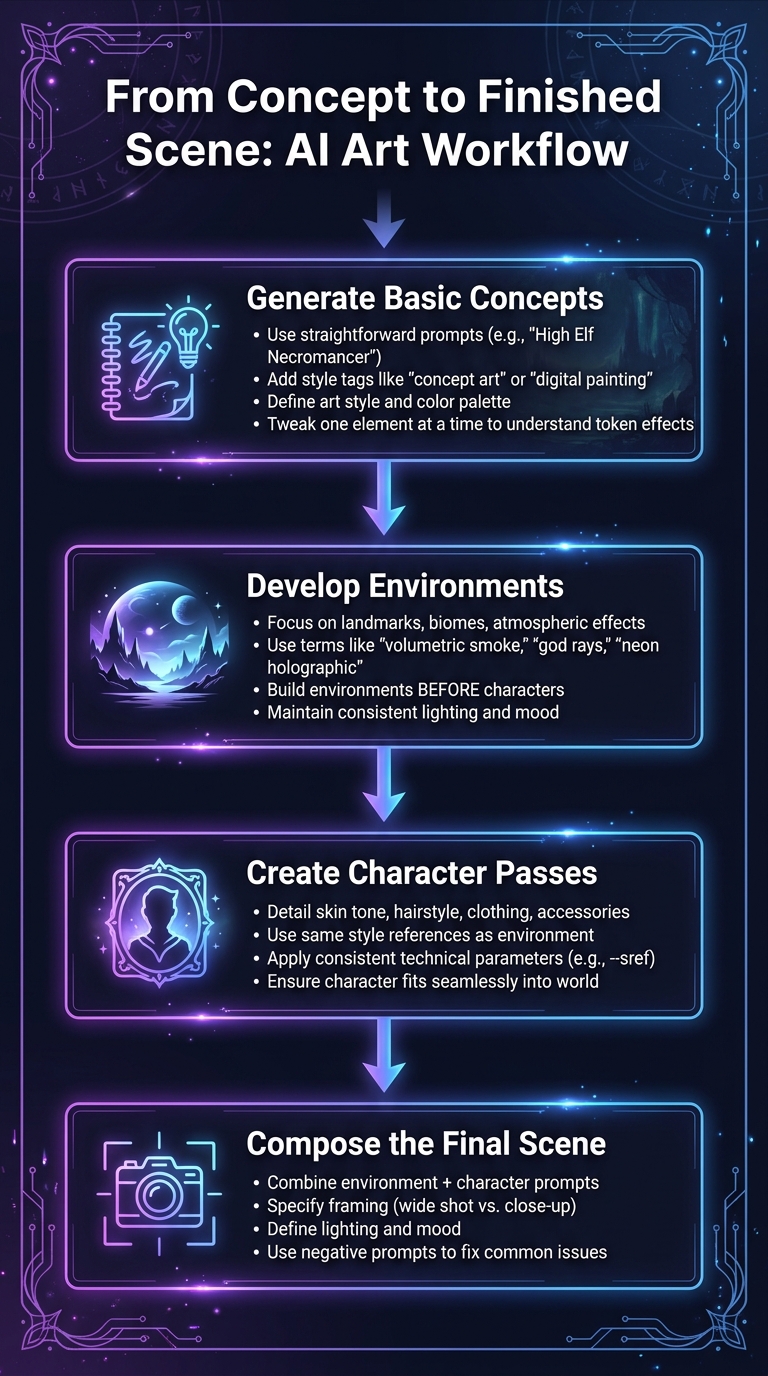
4-Step Workflow: From AI Art Concept Sketches to Finished Fantasy Scenes
Turning a rough idea into a polished scene involves several stages, each building on the last. A structured workflow helps refine details progressively, and prompt packs streamline the process by offering reusable templates. These templates can be applied across environments, characters, and final compositions, saving time and ensuring consistency in worldbuilding.
Step 1: Generate Basic Concepts
Begin by brainstorming ideas without diving into specifics. Use straightforward prompts that focus on the main subject, such as "High Elf Necromancer" or "interstellar ark ship." Pair these with a style tag like "concept art" or "digital painting" to steer outputs toward a professional aesthetic rather than photorealism [5]. This stage is where you define the art style and color palette, perhaps by exploring a multi-style prompt pack to find the right aesthetic. If you’re working with a fantasy prompt pack, tweak one element at a time - like lighting or pose - to understand how specific tokens affect the results.
Step 2: Develop Environments
Once you’ve nailed down your basic concepts, shift your attention to creating the setting. Use prompts that emphasize environmental details like landmarks, biomes, and atmospheric effects. Terms such as "volumetric smoke", "god rays", or "neon holographic" can help bring fantastical settings to life while grounding them in believable physics [3][1]. Focus on environments before characters so you can later place figures into matching backdrops for a cohesive look. For instance, a dark fantasy castle pack might include templates for "ancient ruins with glowing runes" or "scorched landscapes under dramatic shadows", all tied together by consistent lighting and mood.
Step 3: Create Character Passes
With the environment set, you can move on to crafting characters that fit seamlessly into the world. Use character-specific prompts that detail features like skin tone, hairstyle, clothing, and accessories. This ensures consistency across generations [6]. Stick to the same style references or technical parameters (such as Midjourney’s --sref) you used for the environment to maintain a unified aesthetic. Avoid vague descriptions; precise details ensure a character, like a silver-haired warrior, looks consistent whether placed in a forest or a throne room.
Step 4: Compose the Final Scene
The last step is to bring everything together into a cohesive composition. Combine your refined environment and character prompts into a single, detailed description. Specify framing (like a wide shot for grandeur or a close-up for intimacy), lighting, and mood [3][5]. Use a standardized negative prompt to address common issues like extra limbs, unwanted text, or watermarks during this stage [2]. A great example of this method comes from developer Tharindu Sathsara, who, in May 2025, used a "cover page prompt" as a style guide to maintain consistency across an entire children’s storybook series [6].
This step-by-step process transforms prompt packs into a powerful system for building cohesive worlds. By layering elements from concept to completion, you can create fantasy or sci-fi scenes that feel unified and visually compelling, often utilizing photorealistic prompts to ground the final composition.
Choosing the Right Model and Pack for Your Project
Once you’ve refined your prompts, the next step is selecting the ideal AI model and matching prompt pack to ensure consistent, polished results. Different AI models bring unique strengths to fantasy and sci-fi art. Midjourney is well-known for its painterly aesthetics and high-quality concept art, making it perfect for visualizing ancient wizard towers or epic space battles[7]. Leonardo AI stands out for its precision and ability to maintain consistent character designs across multiple scenes[7]. If you need flexibility, NightCafe Creator lets you switch between several AI engines within one interface, allowing quick style experiments before finalizing your work[7]. For those working on a budget, Dreamina offers a robust free tier without compromising on quality[7]. These models complement earlier steps in building detailed scenes.
How Popular AI Models Compare
For professional fantasy and sci-fi AI artists, most of the effort - around 70% - goes into refining prompts, with only 30% spent on post-processing, contrary to what beginners might expect[7]. Picking the right model from the start can save you countless hours of revisions. Models like FLUX 1.1 Pro and SD 3.5 Large have become go-to options in 2026 for handling intricate mythical or futuristic designs[1]. When crafting sci-fi art, including specific details like "ion drives" or "stealth corvette" in your prompts helps the AI create technology that feels realistic and functional rather than generic[7].
Matching Models to Prompt Packs
After selecting your model, pair it with a fantasy/sci-fi prompt pack that aligns with your creative goals. High-quality packs serve as blueprints for specific styles - Neo-Ghibli, Retro-Futurism, Cyberpunk - ensuring your project maintains a cohesive visual identity[2]. Look for packs that include model-specific parameters like aspect ratio (--ar) and stylization (--stylize). For projects with recurring characters, Leonardo AI packs are particularly useful. On the other hand, Midjourney packs are often favored for one-off concept art due to their simplicity and ease of use.
| Priority | Best Model | Strength |
|---|---|---|
| Artistic Quality | Midjourney | Painterly aesthetics and high-end concept art[7] |
| Control & Customization | Leonardo AI | Advanced parameters and character consistency[7] |
| Experimentation | NightCafe | Multiple engine options for style testing[7] |
| Budget Friendly | Dreamina | Free tier with strong quality output[7] |
How to Keep Your Worldbuilding Visually Consistent
Building a cohesive visual world requires more than just imagination - it demands consistency. Every piece of artwork, from early sketches to polished scenes, should feel like it belongs to the same universe. By following structured methods, you can maintain a unified style across all your creations, setting your work apart from less polished projects. Here’s how to achieve that consistency.
Using Style Tags and Themes
One of the most effective ways to maintain a consistent look is by using the Style Stack Method. This involves creating a stack of 5–7 key elements - such as Format, Medium, Linework, Shading, Color Palette, Texture, Lighting, and Composition - and keeping them in a fixed order[9]. Once you’ve built this stack, use it in every prompt without altering a single word. As Sachin Kamath, Co-founder & CEO of Neolemon, explains:
"Vague words get vague results. Pick one phrase. Reuse it exactly."[9]
To make this process easier, create a Style Bible - a concise string that captures your project’s visual identity. Treat it like code: consistent and unchanging. For instance, Tharindu Sathsara, developer of PhonicsMaker.com, used Gemini to craft a Master Style Guide for a children’s storybook. By sticking to the same "vibrant cartoonish painting style" in every prompt, he ensured visual consistency from start to finish[6]. Avoid swapping similar phrases like "colorful illustration" for "vibrant cartoonish painting" - AI models interpret them as entirely different styles[6][9]. This approach is especially critical for character and portrait packs, where consistent style tags ensure characters remain recognizable while their actions and backgrounds change[9].
Refining Through Prompt Adjustments
Once your Style Bible is in place, fine-tuning prompts can further enhance consistency. Use a two-part prompt structure: an "Identity Core" for stable details like character and style, and a "Shot Directive" for scene-specific elements such as action, lighting, or camera angles[11]. Place key character-defining tokens at the start of the prompt, as their position affects how much weight the model gives them[10]. Adding detailed textual descriptions can improve consistency by up to 40%[10].
For recurring characters in fantasy or sci-fi worlds, tools like saved "Person Elements" or LoRAs (Low-Rank Adaptations) are invaluable. These allow you to reuse characters across different scenes while keeping traits like facial structure, eye color, and freckles intact[8]. When using Image-to-Image techniques to adjust poses without losing character recognition, stick to a denoising strength between 0.35 and 0.55[10]. For larger projects like graphic novels or game concept art, training a custom LoRA with 15–20 images is the best way to achieve over 95% identity retention[10]. You can explore fantasy and sci-fi prompt packs that include these advanced parameters to streamline your workflow and reduce guesswork.
Where to Find Fantasy & Sci-Fi Prompt Packs on Art Prompt HQ
Once you’ve honed your workflow and established a consistent style, the next step is finding the right prompt packs to match your vision. Art Prompt HQ simplifies this process by curating a library of tools that align with your project’s needs, ensuring every step - from initial concept to final scene - stays visually aligned and cohesive.
Navigating Art Prompt HQ's Categories
Art Prompt HQ organizes its collections using three main filters: Models, Styles, and Goals. Begin by selecting the AI tool you’re using, whether it’s Midjourney, Stable Diffusion, DALL·E, or video-focused platforms like Sora and Veo. Once you’ve confirmed compatibility, head to the Fantasy / Sci‑Fi category for packs tailored to worldbuilding.
For character-focused projects, the Characters and Portraits categories provide modular options to ensure consistent character designs. If your work involves cinematic trailers or animated shorts, check out the Video Prompts and Viral Shorts sections for motion-ready prompts. Additionally, filtering by Goals - such as commercial projects, portfolio building, or learning - helps you narrow down packs that fit your specific objectives.
To refine your style further, the AI Art Style Finder is a handy tool for exploring subgenre keywords like "Neo-Ghibli", "Retro-Futurism", or "Cyberpunk." It allows you to test aesthetic phrases before committing to a full pack. For more intricate ideas, the AI Image Prompt Refiner helps transform rough concepts into well-structured prompts that models can interpret seamlessly.
Learning Tools on Art Prompt HQ
Art Prompt HQ doesn’t stop at just providing prompt packs - it also offers resources to enhance your skills. The "Latest from the HQ" section features guides and playbooks that break down the mechanics of crafting effective fantasy and sci-fi prompts. These resources explain how specific tokens influence lighting, composition, and mood, turning each pack into a learning tool for creating custom worlds.
Free utilities like the Midjourney Prompt Tool help shape rough ideas into actionable inputs, while the AI Negative Prompt Generator assists in cleaning up common issues like extra limbs, watermarks, or unwanted text overlays in complex renders.
For a comprehensive starting point, you can browse fantasy and sci‑fi prompt packs to explore systems for environments, characters, and props, or explore learning resources for tutorials that guide you from early sketches to polished final scenes.
Conclusion
Creating immersive fantasy and sci-fi worlds with AI hinges on having structured blueprints that guide the process toward consistent and polished results. High-quality prompt packs take the guesswork out of aesthetics by providing predefined guidelines for subjects, lighting, camera angles, and composition. This allows you to swap out characters or settings without needing to rewrite the entire prompt. As Travis Nicholson aptly states:
"Once you understand how styles and prompting interact, you stop 'hoping' for good results and start designing them." [4]
The workflow outlined in this guide demonstrates how modular prompt systems can transform rough ideas into refined visuals. Whether you're crafting TTRPG assets, developing game concept art, or producing cinematic trailers, the right prompt pack anchors fantastical subjects in believable environments, turning initial sketches into detailed key art.
Art Prompt HQ simplifies this process by categorizing prompt packs based on style, model, and project goals. You can browse fantasy and sci-fi prompt packs tailored to your specific subgenre or explore learning resources to master professional prompt-building techniques.
With this system at your disposal, the path forward is clear. Select a pack that matches your creative vision, refine your prompts with tools like the AI Image Prompt Refiner or Negative Prompt Generator, and fine-tune your style. By following this approach, you'll move from rough concepts to fully realized scenes with confidence and precision.
FAQs
What’s the fastest way to go from a rough idea to a finished scene using a prompt pack?
To transform a rough idea into a polished scene, it's helpful to use a structured workflow with modular prompts. Begin with broad prompts to establish the core concept, then gradually refine them to add depth to elements like environments, characters, and props. Using curated fantasy or sci-fi prompt packs can help maintain a consistent style while minimizing guesswork. By taking iterative steps and tailoring your approach to models such as Midjourney or Stable Diffusion, you can efficiently move from initial concept to a fully realized scene.
How do I keep the same character and art style consistent across multiple images?
To keep a consistent character and art style across various images, craft prompts that include detailed descriptions of key features such as the character's look, color scheme, lighting, and artistic style. Repeating these descriptors in your prompts helps maintain uniformity. You can also rely on structured workflows, references, and specific style tags to guide the process. Experimenting with prompts and concentrating on outputs tailored to a particular style will further ensure that the visuals align seamlessly across different scenes.
Which AI model should I choose for my fantasy or sci-fi prompt pack?
The best AI model for your project hinges on what you're aiming to achieve. Midjourney shines when it comes to creating stylized, cinematic concept art, making it a go-to for atmospheric visuals. Stable Diffusion is well-suited for projects requiring precision and consistency, particularly in detailed worldbuilding or iterative design processes. On the other hand, DALL·E stands out for its ability to produce imaginative and unconventional outputs, ideal for brainstorming fresh ideas. Many creators find value in combining these models, using each one’s strengths at different stages to enhance their workflow.